![10 Automated SEO Tools to Accelerate Ranking Gains [2026]](/_next/image?url=https%3A%2F%2Fyaufotvuqcmtbrsawxxf.supabase.co%2Fstorage%2Fv1%2Fobject%2Fpublic%2Fblog-images%2Ff3ab7e90-cc39-4d0a-b0ed-3c636ce2e01e%2Farticles%2F1781942731948-featured-1781942731947.webp&w=1920&q=75)
Table of contents
TL;DR
- Automated SEO tools speed up content, audits, tracking, & reporting.
- Not all tools cover every workflow—know your must-have features.
- AI-powered SEO platforms like SEO Ladders can fully automate blog creation.
- Compare features, integration, and pricing before you decide.
You spent hours publishing blog content last quarter, but your organic rankings hardly improved. If keyword research and optimization take up too much of your time, you’re not alone—especially if you have a small team or manage several websites.
This guide is for busy marketers and site owners who want faster results. It highlights 10 automated SEO tools that handle the hard work for you. These tools speed up research, content creation, and reporting. Automated SEO tools are better than manual efforts because they work faster and more accurately, helping you rank higher on Google without wasting time. You’ll learn what really affects rankings so you can focus on the tasks that bring real results.
How We Selected the Best Automated SEO Tools
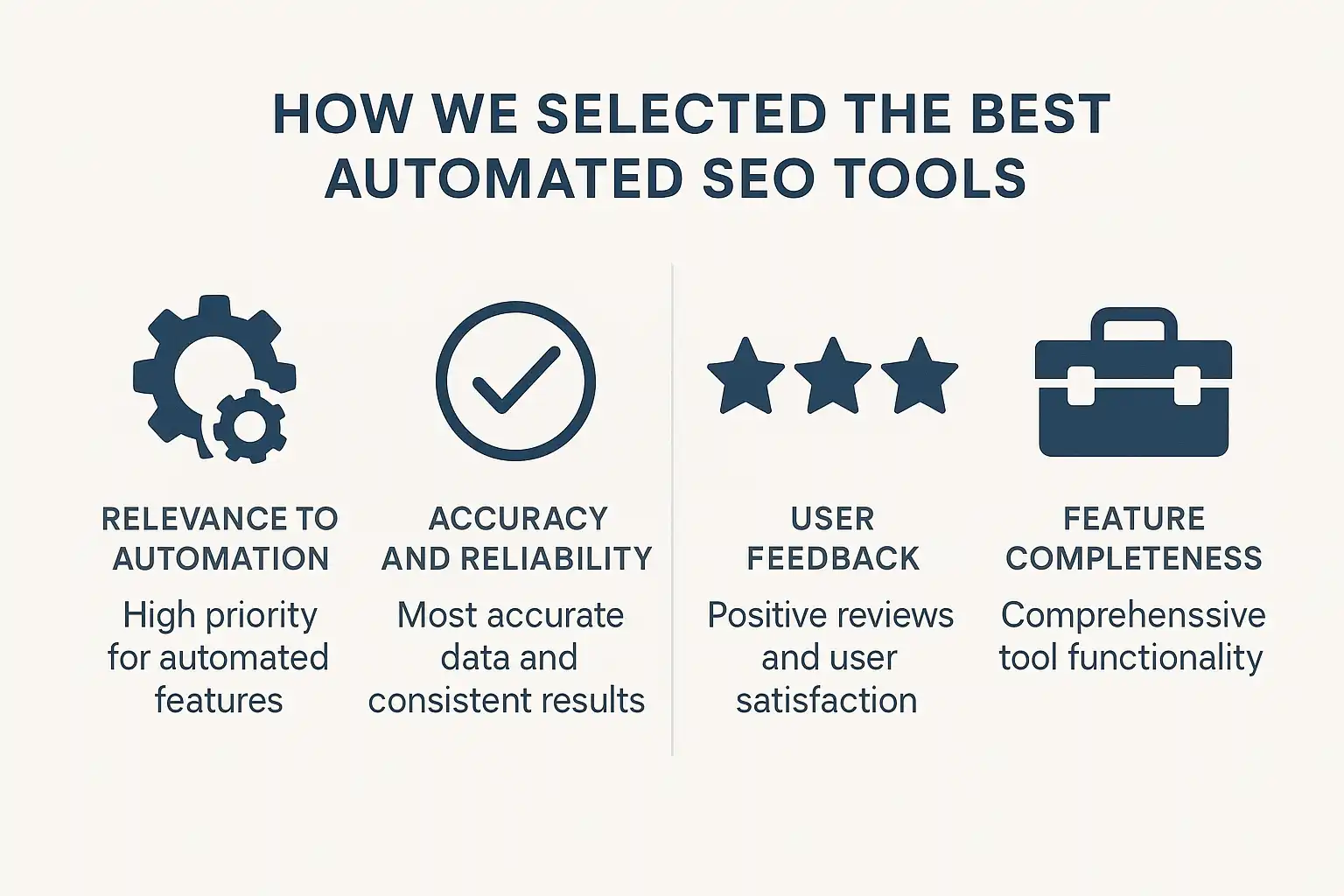
Selecting the most effective automated SEO tools requires clear criteria focused on real SEO outcomes rather than marketing claims. We prioritized tools with meaningful automation capabilities, transparent processes, and measurable impact on search rankings tailored to different business needs.
Selection Criteria Explained
Our selection process for the best automated SEO tools is grounded in real-world priorities: reliability, efficiency, and adaptability. According to SEO Automation Things To Know Before You Buy, the strongest tools improve workflows without losing control or accuracy. We rated platforms on:
- Breadth of core automation
- Ease of use and integration with common platforms like WordPress
- Transparency about data sources and ranking logic
- Support for actionable insights rather than raw data
In practice, tools that automate reports but hide the methodology create distrust. Teams often discover that hidden rules or missing explainers waste more time than manual optimization would have. That single lesson shaped our minimum benchmarks.
Types of Automation Covered
The types of automation reviewed include content creation, keyword research, technical health checks, and auto-publishing. Automated SEO tools are platforms that use technology to execute repetitive or complex SEO tasks with little to no manual intervention. We prioritized solutions offering end-to-end processes—like AI-powered content generation paired with auto-publishing integrations—as well as granular workflows such as keyword gap analysis or backlink scanning.
From experience, not all automation is equally valuable. Some platforms shine at delivering hundreds of internal links in seconds. Others fall short if they don't match keywords to site authority or local markets. Our shortlist includes tools that handle at least two major SEO functions automatically, so results reflect genuine time savings, not just cosmetic features.
Why Transparency Matters in Comparisons
Transparent automation is essential when choosing automated SEO tools because it lets users understand how rankings are calculated and keywords are sourced. Without this clarity, tools become unreliable, often leading to missed ranking opportunities and wasted budget. We prioritize tools with open methodologies—clear algorithms, ranking factors, and integration details—so users can confidently select features that fit their needs.
In client audits, tools lacking transparency have caused confusion and errors, while those with verified openness support better decision-making. Our comparison criteria include public documentation, clear pricing (see some pricing pages), and responsive support to address any issues.
Why it matters:
- Builds user confidence in automation
- Helps validate SEO recommendations
- Prevents errors from hidden rules or unclear settings
Expert Insight: "All-in-one" automation rarely delivers unless the underlying data and logic are clear and customizable. Prioritize platforms with open documentation and real user controls.
1. SEO Ladders: End-to-End Content & Automation
SEO Ladders stands out among automated SEO tools by providing true end-to-end content automation. For site owners seeking hands-off organic growth, this platform delivers content planning, production, and publishing—all without manual effort.
What It Is
"SEO Ladders is an automated SEO platform that streamlines the entire process from keyword research to live content publishing." Unlike simpler automation tools, it uses AI to identify winnable keywords matched to your site's authority, then automatically generates SEO-optimized articles, complete with images and embedded videos. These articles are scheduled and published via direct integrations with platforms like WordPress or custom webhooks.
The system also handles internal linking, authoritative citations, and content updates. For a high-level overview of its content automation pipeline and supported platforms, you can see all integrations.
Why It Matters
Eliminating repetitive SEO tasks saves more than just time—it reduces errors and creates operational consistency. For teams juggling multiple campaigns, automated SEO tools help maintain a reliable publishing cadence even when priorities shift.
Why this matters:
- Automates keyword discovery and targeting
- Reduces reliance on expensive agencies or freelancers
- Ensures each article is tailored for search intent, internal links, and on-page optimization
Compared to manual workflows, platforms like SEO Ladders often yield increased organic visibility and scalable content output. Realistically, few teams can keep pace with search trends without this level of automation.
How to Use It
"SEO Ladders is designed to be as close to set-and-forget as an automated SEO tool gets." The basic steps:
- Connect your domain—the platform analyzes your site and competitor context.
- Choose your preferred CMS integration, such as WordPress or webhook.
- Review and refine keyword and content settings as needed.
- Activate content automation—the system schedules and publishes optimized articles monthly, including relevant images, videos, and links.
In practice, the platform allows instant editing or review before publishing. Most users see content rolling out automatically after their initial setup.
Pros and Cons
Automated SEO tools like SEO Ladders deliver significant workflow gains but come with tradeoffs compared to a fully manual approach.
| Feature | Automated Approach | Manual Approach |
|---|---|---|
| Custom editorial | Limited nuance and flexibility | Full control and adaptation to complex topics |
| Oversight | Requires periodic human review to maintain brand voice and accuracy | Continuous hands-on management and refinement |
| Updates | Regular automated adjustments | Manual monitoring and updates needed |
A common pitfall is neglecting occasional content reviews—automated tools cannot fully replace human judgment, especially for preserving brand voice and handling nuanced subjects.
Quick Tip
"For the fastest way to test automation results, start with a free trial—SEO Ladders offers a low-friction start for free process."
Just remember to check integration compatibility and set publishing permissions within your CMS before turning on automation to avoid workflow surprises.
Expert Insight: For scaling up organic traffic without adding headcount, hands-off AI publishing can outperform piecemeal SEO tools—just monitor your new content for tone drift over time.
2. Semrush: Comprehensive All-in-One SEO Suite
Semrush stands out as one of the most widely used automated SEO tools for both agencies and businesses. It offers a centralized platform for keyword research, site audits, competitor tracking, and ongoing optimization, making it a go-to solution for large-scale SEO management.
What It Is
"Semrush is an all-in-one SEO suite that automates core optimization tasks for websites of any size." The platform brings together over a dozen specialized tools—spanning keyword discovery, position tracking, backlink audits, site crawling, and even content topic research. According to Keystar Agency, platforms like Semrush are considered foundational to any modern SEO program because they cover such a broad set of needs from one dashboard.
In day-to-day use, it's the variety and depth that makes the difference: one login provides a full competitive overview, automated technical scans, and extensive keyword databases for research at scale.
Why It Matters
Automated SEO tools matter because they streamline essential workflows and unlock data that's otherwise tedious to collect manually. For teams juggling content, link building, and technical audits, a unified suite like Semrush means less app-hopping and more actionable insight.
Why does this matter in practice? Because having everything from rank tracking to topic suggestions in one place lets marketers translate analysis into execution without delays. For those seeking alternatives, exploring an automated SEO blogging solution can further minimize manual work for content-focused sites.
Why it matters:
- Shortens the path from problem to solution
- Reduces risk of missing important technical issues
- Makes competitor intelligence immediate and ongoing
How to Use It
Getting started with Semrush is a mostly guided process, but there’s a learning curve. Users set up a project, add their domain, and select automated workflows:
- Site Audit — Runs a technical scan, flagging issues by severity.
- Keyword Research — Surfaces untapped search terms relevant to your pages.
- Position Tracking — Monitors your site’s daily Google rankings for key targets.
In practice, teams often find the platform’s crawler occasionally flags false positives—a reminder to always sanity-check automated audit results. To see how automation fits into publishing workflows, review general content automation strategies.
Pros and Cons
Semrush offers a comprehensive platform with over 50 integrated tools covering keyword research, site audit, backlink analysis, and rank tracking. It supports more than 40 automated workflows, though initial setup can be time-consuming for new users. While automated insights help speed up issue identification, uncovering highly specific keyword opportunities often requires applying advanced filters manually.
| Feature | Semrush |
|---|---|
| Keyword Database Size | Extensive |
| Workflow Automation | High (manual setup needed) |
| Content Automation | Limited (manual writing needed) |
| Price Point | Geared to larger teams |
User reviews frequently highlight Semrush’s broad functionality compared to competitors but note it may be overkill for those seeking lightweight, fully automated publishing solutions. For more end-to-end automation, tools like SEO Ladders might provide greater efficiency over time.
Quick Tip
If you're just starting with Semrush, set calendar reminders to review automated audit results weekly rather than relying only on email alerts. This habit catches sudden site changes—like broken pages—before rankings take a hit. Staying proactive is key, no matter which automated SEO tools you use.
Expert Insight: For content teams that want full publishing automation, pairing an all-in-one suite with AI-powered content automation can fill workflow gaps left by manual-focused platforms like Semrush.
3. Ahrefs: Automated Backlink Analysis & Site Audits
Ahrefs is one of the most established automated SEO tools for monitoring backlinks and running thorough site audits. Its blend of automation and data depth makes it a top pick for teams focused on technical SEO and link-building health.
What It Is
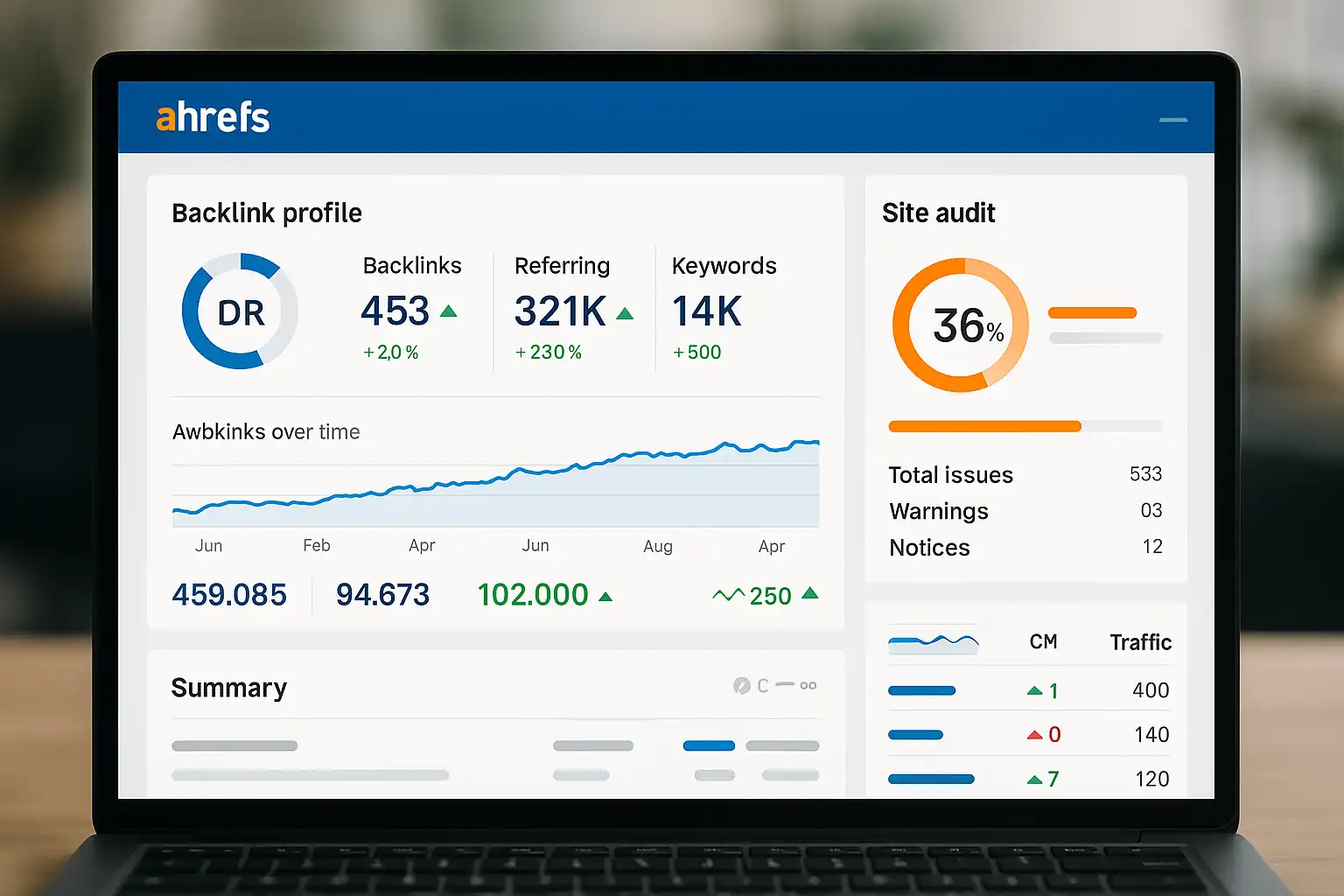
Ahrefs is an automated SEO tool specializing in backlink analysis and technical site audits. It continuously crawls the web, mapping out who links to your website, and flags technical SEO issues that might block rankings. Research from MediaSearch Group shows that automated audits like those provided by Ahrefs help uncover not just big errors, but the small, hidden issues that often slip through manual checks.
In practice, Ahrefs delivers link alerts, detailed site health scores, and insights into competitor backlink strategies—all updated automatically.
Why It Matters
Automated backlink and site audits matter because they catch problems before search rankings drop. Most technical errors go unnoticed until traffic dips. With Ahrefs, issues such as broken links, missing tags, or toxic backlinks are surfaced fast, so you can react before Google penalizes your site.
- Keeps your link profile clean
- Reduces manual audit time
- Helps spot SEO trends competitors might miss
For those scaling SEO operations or juggling multiple client sites, automation becomes non-negotiable.
How to Use It
You use Ahrefs by plugging your domain into its dashboard, then letting the platform crawl your site and backlinks on a regular schedule. The process looks roughly like this:
- Run a Site Audit — Schedule automated scans for technical issues and optimization opportunities.
- Track Backlinks — Monitor all new, lost, or broken backlinks with automated notifications.
- Analyze Competitors — Benchmark your site against others to identify link gaps.
Prefer hands-free SEO? Explore keyword research automation tools that pair with audit platforms for an end-to-end workflow.
Pros and Cons
Ahrefs excels in automating backlink analysis and keyword tracking with minimal input, saving time on routine data collection. However, its automation can struggle with nuanced content gap analysis and competitor strategy interpretation, requiring manual review for strategic decisions.
| Criteria | Ahrefs | Manual Audits |
|---|---|---|
| Automation Level | High | None |
| Depth of Insight | Very Deep | Varies |
| Cost | Premium-tier | Low to None |
| User Learning | Moderate | Low |
Teams benefit from automated alerts and report scheduling, but should plan for supplemental manual analysis to capture complex SEO opportunities.
Quick Tip
A quick way to get value: set up regular backlink alerts and weekly site audits. This lets you respond to negative SEO attacks or technical errors before they can do real damage. For instantly actionable keyword insights, check out competitor tracking features that integrate with audit data.
Expert Insight: Automated SEO tools are especially handy when working across multiple projects—skip manual spreadsheet updates and let the platform handle recurring scans.
4. SurferSEO: Content Optimization with AI Insights
SurferSEO is recognized for combining content analysis with actionable AI suggestions, a unique angle among automated SEO tools. It stands out for benchmarking your writing against real-time search data, helping teams fine-tune articles to climb SERP rankings with less guesswork.
What It Is
SurferSEO is a cloud-based content optimization tool that leverages AI-driven data to analyze and improve website content for better search engine rankings. The platform collects data from top-ranking pages for a given keyword, then delivers clear recommendations—like ideal word count, heading usage, and keyword placement.
According to heyjinni.com, SurferSEO's blend of automated SERP analysis and granular on-page suggestions is especially useful for teams aiming to build scalable, repeatable workflows. Unlike classic tools that focus on backlinks or technical audits, SurferSEO zeroes in on real-time content signals that influence rankings.
Why It Matters
SurferSEO matters because it translates live search landscape data into clear execution steps for content creators, reducing the trial-and-error that often plagues SEO writing. Instead of relying solely on intuition, writers can use Surfer's optimization panel to see exactly what appears to work for the top-ranking competitors.
Key benefits for businesses evaluating automated SEO tools:
- Data-backed content changes, not just best practices
- Scales across multiple writers for uniform quality
- Provides instant content health checks compared to page-one sites
This approach aligns closely with full-suite content automation platforms that help maintain consistency and edge over algorithm fluctuations.
How to Use It
Using SurferSEO for automated content optimization typically follows these steps:
- Enter a primary keyword — Surfer crawls and benchmarks the top-ranking pages.
- Review the Content Editor — You'll get a checklist with target keyword usage, word count, headings, and NLP-based topic inclusions.
- Optimize in real time — As you write, Surfer's sidebar adjusts optimization scores, reflecting how closely your draft aligns with the SERP consensus.
In practice, teams often pair SurferSEO with dedicated keyword research tools to ensure they're not just optimizing, but targeting the right queries from the start.
Pros and Cons
SurferSEO offers tangible efficiency, but it comes with tradeoffs. Here are some that teams commonly encounter:
| Feature | Pros | Cons |
|---|---|---|
| AI-Driven Guidance | Precision, real-time adjustments | Can be overwhelming for new users |
| SERP Benchmarking | Aligns with winning content | Occasional bias toward over-optimized |
| Collaboration Tools | Consistent output, easier scaling | Lacks some full-suite integrations |
A common pitfall is over-optimizing content to the point of keyword stuffing—something SurferSEO users should monitor closely.
Quick Tip
One effective tip: "Start with SurferSEO's guidelines, but let subject matter expertise dictate the final draft—don't chase 100% optimization at the expense of natural flow or readability." This balances data and authentic voice, a lesson learned by writers after seeing content slip in rankings for sounding robotic.
Expert Insight: SurferSEO's value increases when paired with robust keyword research and automation platforms, which can surface high-impact topics before you begin optimizing content.
5. seoClarity: Enterprise-Scale Keyword & Site Tracking
seoClarity is a platform focused on delivering enterprise-grade keyword tracking, site audits, and SEO insights. For organizations needing to monitor thousands (or even millions) of keywords, this kind of automation is essential in the crowded field of automated SEO tools.
What It Is
"seoClarity is an automated SEO tool designed for large-scale keyword tracking and site monitoring."
The platform offers real-time rank tracking, technical site audits, and competitor benchmarking. Its automation helps enterprises oversee thousands of pages and keywords without manual workflows. Users gain access to granular reporting, custom dashboards, and daily SERP data, offering clarity into ongoing performance.
Unlike basic tools, seoClarity is built around dynamic datasets—making it practical for corporations, agencies, and multi-domain brands. For teams focused on end-to-end content automation, you may want to compare how automation works in parallel platforms, such as those featured on Content Automation.
Why It Matters
"Enterprise-scale tracking in automated SEO tools addresses the need for visibility and action across huge website portfolios."
When managing a massive content library, manual rank checks and audits break down quickly. Automated solutions ensure key problems are flagged, trends are visible, and resources are directed based on real results. In practice, this prevents waste—no more guessing where SEO efforts are working or stalling.
Why it matters:
- Pinpoints technical and visibility issues fast
- Surfaces "low-hanging fruit" keywords for optimization
- Prioritizes efforts based on largest business impact
- Reduces time lost to manual checks
How to Use It
"To use seoClarity, teams typically connect their site, select keyword sets, and schedule automated reporting."
The workflow roughly looks like:
- Connect your site or domains for crawling and SERP tracking
- Define keyword lists—import, group, or pull from integrated research tools
- Set up automation for scheduled rank tracking, technical audits, and competitor analysis
- Interpret dashboards to monitor shifts or identify sudden issues
Curious how auto-tracking compares to granular monitoring for smaller sites? See options like Keyword Tracking for a lighter-weight approach.
Pros and Cons
"The primary benefit of seoClarity is scalable, automated insight for very large-scale SEO programs."
Pros:
- Handles millions of data points
- Customizable dashboards and alerts
- Suitable for agencies or global brands
Cons:
- Overkill for small sites with limited keywords
- Enterprise pricing can be steep
- Onboarding and dashboard complexity require dedicated time
Teams often find the biggest win is getting everyone aligned on priorities—provided they commit to setting up reporting correctly.
Quick Tip
"For best results, focus alerts on sudden position drops and technical errors, not just keyword movement."
In our experience, the biggest issues are often technical—a page gone missing or JavaScript blocking content—rather than a slow keyword slip. Tighten alert rules for noise reduction. For a streamlined introduction to tracking, try see keyword research to complement your toolset.
Expert Insight: Enterprise SEO automation only pays dividends if your data is actionable—spend extra time customizing dashboards to your team's real-world questions and KPIs.
6. BrightEdge: AI-Driven SEO for Large Sites
BrightEdge stands out among automated SEO tools for its focus on large enterprise websites that demand scale, real-time insights, and robust automation. For organizations handling thousands of pages, the right automation platform can be a difference-maker in both efficiency and visibility.
What It Is
"BrightEdge is an AI-powered platform specializing in enterprise-scale SEO automation and content performance measurement." It brings together site audits, keyword tracking, content recommendations, and competitive analysis—all within a single dashboard. The AI analyzes vast data sets, surfacing actionable insights for teams tasked with managing sprawling web portfolios. According to RankAuthority, automated SEO platforms can save teams significant hours per week—a scale that only multiplies for large sites. In practice, BrightEdge is often used by teams running global domains or portfolios with frequent content updates.
Why It Matters
"AI-driven automation matters for large websites because manual optimization doesn’t scale as site complexity grows." When an SEO program covers thousands of URLs, spreadsheets and hand-checking become impossible to maintain. Automation ensures:
- Ongoing technical audits catch major issues before traffic drops
- Keyword tracking spans every page and region
- Content optimization is data-driven, not guesswork
For teams already leveraging content automation, BrightEdge can act as an orchestration layer, tying together disparate efforts and reporting under one roof.
How to Use It
"To use BrightEdge effectively, teams first connect their domains and import site data for crawling and benchmarking." The core workflow typically looks like this:
- Site Connection — Add your site or portfolio.
- Audit & Crawl — Let the AI identify technical and content gaps.
- Track & Optimize — Monitor keyword rankings and apply recommendations.
- Report & Iterate — Use dashboards for fast reporting cycles.
Teams often segment their workflow by business unit or region—honestly, this is where many first-timers stumble, as organizational silos sometimes block progress. The platform’s dashboards help break down those walls.
Pros and Cons
"The main strengths of BrightEdge are its automation depth and enterprise integration, while potential drawbacks include cost and onboarding complexity." Here's a quick comparison:
| Feature | BrightEdge | Other Automated SEO Tools |
|---|---|---|
| Keyword Tracking | Yes | Yes |
| Content Insights | Strong | Varies |
| API Availability | Robust | Limited/Varies |
| Onboarding Speed | Slower | Faster in some cases |
From experience, the onboarding process can take longer for large teams. The upside? Cohesive reporting that works across international sites, which isn’t always true for smaller keyword research tools.
Quick Tip
"A simple way to get more from BrightEdge: automate recurring reports and share them cross-team via scheduled exports." This ensures stakeholders see weekly trends—without anyone chasing dashboards last minute. In practice, sharing insights broadly sometimes uncovers overlooked technical wins, or helps align content and SEO priorities for upcoming sprints.
Expert Insight: For organizations scaling automated SEO, supplement BrightEdge dashboards with instant competitive checks from smaller, more agile research tools to spot rapid shifts in keyword opportunities.
Frequently Asked Questions
What SEO workflows can be automated?
Key SEO workflows that can be automated include keyword research, content creation, on-page optimization, publishing, rank tracking, and technical site audits. Automation tools can also handle meta tag generation, internal linking, content updates, and local SEO targeting. SEO Ladders, for example, automates these steps by generating domain-matched keywords, AI-written articles, auto-publishing to CMS, and tracking rankings to save time and enhance SEO efficiency.
Are automated SEO tools accurate for keyword tracking?
Automated SEO tools are generally accurate for keyword tracking, providing timely updates on rankings and search metrics. However, their precision can vary due to factors like data sources, update frequency, and algorithm changes. Tools like SEO Ladders enhance accuracy by matching keywords to your domain authority, filtering out irrelevant data, and offering clear insights to optimize content effectively.
How do AI-driven SEO tools differ from traditional options?
AI-driven SEO tools differ by automating complex tasks like keyword research, content creation, and publishing using machine learning to target realistic, low-competition keywords matched to a site's authority. They analyze large data sets to optimize content dynamically, unlike traditional tools that require more manual input and expertise. Platforms like SEO Ladders exemplify this by generating, optimizing, and auto-publishing SEO content with minimal effort.
What's the biggest myth about SEO automation?
The biggest myth about SEO automation is that it can completely replace human expertise and strategy. In reality, automation tools efficiently handle repetitive tasks but still require human oversight to ensure content quality, relevance, and alignment with business goals. Tools like SEO Ladders automate keyword research and content creation, yet combining them with expert input yields the best SEO outcomes.
Can automated tools fully replace manual SEO work?
Automated SEO tools can handle many repetitive tasks like keyword research, content generation, and performance tracking, but they cannot fully replace manual SEO work. Human oversight is crucial for strategy, nuanced content quality, and adapting to market changes. Platforms like SEO Ladders blend automation with flexibility, helping scale SEO efforts while allowing expert input where it matters most.
Conclusion
The right automated SEO tools don’t just save hours—they push your rankings forward while you focus elsewhere. Ready to make your workflow smarter, not harder? Try these steps today:
- Review your current SEO process and list the repetitive tasks you want to automate
- Pick one tool from this list and connect it to your site or CMS for a real-world test
- Track keyword rankings before and after you automate, so you measure impact quickly
- Schedule automated reports or content publishing and watch monthly traffic shifts roll in
With automation, you’ll get more done in less time—and your competition won’t know what hit them.
Tired of manual grunt work holding back your SEO? Start your free trial of SEO Ladders to experience end-to-end content and ranking automation—no setup headaches, just results.
Want this done for you? SEOLadders finds the topics, writes the articles, and gets you cited by AI and ranking on Google, on autopilot.
3-day free trial · Cancel anytime