

Table of Contents
How to Do SEO on My Website: Actionable Steps for Beginners
Building a website is a major achievement for any founder or solo entrepreneur, but figuring out how to do SEO on your website can feel overwhelming if you’re just starting out. The flood of technical advice, ever-changing algorithms, and industry jargon makes it tough to know what really matters—and which steps actually work for beginners.
This guide breaks down website SEO in simple terms, showing you why it’s essential and how to get started without expert skills or a huge budget. You’ll learn foundational SEO concepts, step-by-step optimization tactics, the pros and cons of SEO compared to other traffic strategies, and see what these strategies look like through real-world examples. If you want practical, beginner-friendly SEO steps that actually move the needle, you’re in the right place.
What Is Website SEO? A Clear Definition
Website SEO is about making your site easier to find, understand, and rank by search engines. Grasping what SEO means—and how it applies to your website—forms the foundation for attracting organic traffic and building long-term visibility.
Defining SEO for Websites
SEO for websites is the practice of optimizing a site so that search engines can easily index, understand, and rank its content in search results. This involves improving technical aspects, structure, and content to match user intent.
A site that is well-optimized for SEO is more discoverable by potential visitors searching for relevant topics. Most efforts focus on increasing "organic" or unpaid search traffic by making the website more relevant to user queries.
In practice, learning how to do SEO on your website means regularly reviewing your pages for issues like slow loading times, missing descriptions, and outdated content. These small adjustments collectively help search engines trust and promote your pages in competitive results.
Key SEO Terminology Explained
Key SEO terminology helps clarify the core elements of optimizing a website for search engines. Some important terms include:
- Keyword: The word or phrase people type into search engines
- SERP: Search Engine Results Page
- Backlink: A link from another website to yours
- Ranking: The position of a page in search results
- Crawling & Indexing: How search engines discover and store your pages
- Meta Tags: Snippets of code that provide information about a page
Getting comfortable with this vocabulary makes learning how to improve your website’s SEO much smoother. In practice, referencing these terms is second nature once you’ve worked on site optimization for a while.
On-Page vs. Off-Page SEO
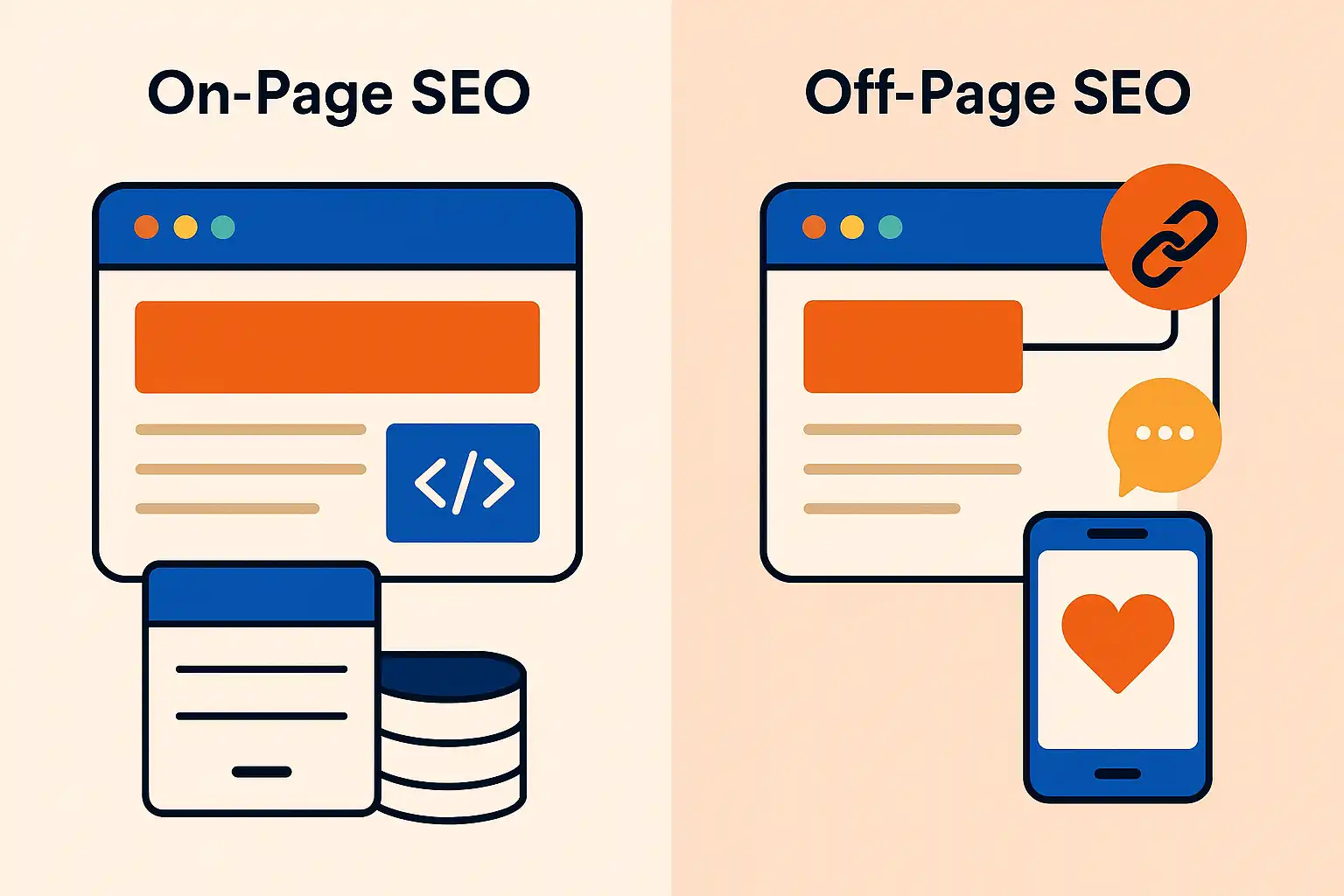
On-page SEO involves making improvements directly on your site, while off-page SEO covers actions taken elsewhere that impact your site's reputation and rankings.
- On-page SEO: Optimizing page titles, headings, content, images, internal linking, meta descriptions, and technical health.
- Off-page SEO: Earning links from other reputable sites, mentions across the web, and signals of authority or trust.
In practice, website owners often start with on-page changes they can control, then work on building backlinks and relationships over time. Balancing both sides is essential for effective SEO.
Tip: Focusing only on on-page SEO may limit your ranking potential; building authority with off-page strategies is also necessary for strong results.
Tip: Even basic familiarity with SEO terminology and the difference between on-page and off-page SEO can speed up your learning process and help you avoid common early mistakes.
Why SEO Matters for Website Owners
SEO gives websites the potential to reach a wider audience without the ongoing costs associated with paid channels. For website owners searching for how to do SEO on my website, understanding SEO’s real impact is the starting point for sustainable, long-term growth.
Key Benefits of SEO

The key benefits of SEO for website owners are increased visibility in search engines, more organic (unpaid) website traffic, and improved user trust. SEO is the process of aligning website content and structure with what search engines look for when ranking pages.
With well-implemented SEO, websites can:
- Appear higher in relevant search results
- Attract visitors with clear intent (who are actively searching for related topics)
- Reduce reliance on paid advertising for web traffic
In practice, SEO’s most crucial advantage is its ability to deliver long-term value. Unlike paid ads that stop bringing traffic when funding ends, SEO can keep attracting visitors as long as you maintain and update your content. Many website owners notice that, over time, pages optimized for key topics consistently generate leads or sales, even with little ongoing investment.
Common SEO Use Cases
Common SEO use cases include increasing product sales, building brand awareness, generating leads, and supporting informational blogs. SEO is used by businesses, content creators, and organizations aiming to attract and engage the right visitors to their websites.
Typical examples include:
- Ecommerce sites optimizing product pages for transaction-focused searches
- Local businesses ranking in map and local results to draw nearby customers
- Bloggers targeting informational queries to grow their readership
Based on common implementation patterns, businesses often start with foundational tasks like optimizing meta tags, publishing targeted content, and monitoring technical health. Over time, they expand into areas such as link building and content automation to broaden their reach. The process is gradual, but consistent effort in these areas delivers measurable improvements.
SEO’s Role in Online Growth
SEO’s role in online growth is to create a stable foundation for organic traffic, which supports every stage of a website’s lifecycle. For many website owners, especially those learning how to do SEO on my website, SEO acts as a core acquisition channel that compounds results with time and effort.
A well-optimized website helps:
- Build authority with search engines through quality content and backlink acquisition
- Attract diverse types of visitors based on a range of search intentions
- Provide data and insights for future marketing efforts
In practice, ongoing SEO investment can gradually shift a website’s traffic mix, with organic visitors making up a larger share as rankings improve. Over time, this sustainable channel can reduce the pressure to rely on temporary tactics like paid ads or social media boosts.
Tip: SEO benefits compound over time, so establishing strong practices early can lead to more consistent and cost-effective website growth than relying solely on short-term promotion methods.
Core SEO Concepts Every Website Needs
Understanding how to do SEO on your website starts with a clear grasp of the primary building blocks. Each element below supports higher visibility in search results, helping your site grow steadily and sustainably.
Keyword Research Fundamentals
Keyword research is the process of identifying the terms and phrases people use when searching for topics related to your website. Selecting the right keywords forms the basis of every effective SEO strategy.
A practical approach involves brainstorming possible search queries, then using keyword research tools to assess their popularity and competitiveness. In practice, many beginners find starting with less competitive, highly relevant keywords more manageable. These "long-tail" phrases often attract visitors who are further along in the buying or information-seeking process.
- Look for keywords with clear intent
- Evaluate how difficult they are to rank for
- Focus on relevance and realistic opportunities
Based on typical SEO workflows, it's useful to group keywords by themes or topics. This guides both content creation and future optimization efforts. For those seeking a streamlined workflow, SEO Ladders' Keyword Research feature is designed to uncover actionable keyword suggestions tailored to your site's authority.
Meta Tags and On-Page Optimization
Meta tags and on-page optimization refer to adjustments made directly within your web pages to help search engines understand your content. The page title and meta description are primary signals that influence how your site appears in search results.
Essential elements include:
- Descriptive, unique titles for every page
- Concise meta descriptions that match user intent
- Structured headings (H1, H2, etc.) for clarity
- Placement of your target keywords in natural, relevant ways
In practice, updating meta tags and using keyword-rich headlines can quickly improve page visibility. Many site owners review their pages with on-page checklists to avoid omitting key SEO components. Over time, small adjustments—like reworking titles or improving internal linking—can compound for better performance.
Tip: Always write meta descriptions for humans first, not just search engines. A clear and appealing summary often increases clicks.
Site Structure and Technical SEO Basics
Site structure and technical SEO basics are foundational aspects that determine how easily search engines crawl, understand, and index your website. A logical structure means organizing your pages into a hierarchy with clear navigation.
Key technical SEO elements include:
- Clean, readable URLs
- Fast page loading times
- Mobile-friendly design
- XML sitemaps and robots.txt configuration
In practice, addressing technical SEO often involves periodic site audits using both automated tools and manual checks. Even small sites can encounter issues like broken links or pages blocked to search bots, which hinder visibility. Addressing these early helps prevent indexing issues before they impact performance.
For ongoing technical health monitoring and to spot common site problems, you can explore systems like Technical Health, which offer automated scans and prioritized fixes.
Info: Each core concept works best when consistently reviewed and adjusted as your website evolves. SEO is an ongoing process, not a one-time fix.
How to Implement SEO on Your Website: A Step-by-Step Process
Applying SEO to your website calls for a systematic, repeatable approach. Focusing on just a few core areas allows you to make real progress—even if you’re new to SEO. Here’s how to do SEO on your website in four clear steps.
1. Keyword Research and Selection
Keyword research is the process of identifying the phrases your audience actually searches for. The right keywords guide your content and optimization efforts from the start.
To get started:
- Brainstorm seed topics relevant to your business or content niche.
- Use keyword tools to uncover search volume, difficulty, and intent. These help you filter ideas and spot realistic targets. (For guided, automated recommendations, review Keyword Research).
- Select a mix of short- and long-tail keywords to balance competition and visibility.
In practice, drilling into competitor sites can reveal keyword gaps you can fill. Many site owners find that targeting less obvious, lower-competition phrases leads to their first SEO wins, especially when site authority is still growing.
2. On-Page SEO: Content & Meta Tags
On-page SEO means optimizing your actual content and the meta tags that describe it to search engines. This includes everything visible to users and much that is not, like titles and descriptions.
A strong process:
- Create well-structured content that directly addresses user search intent.
- Include your main keyword in the title, introductory paragraph, and a few subheadings.
- Write a clear, unique meta title and description for each page, using relevant keywords.
- Add descriptive alt text to images.
Based on common implementation patterns, small tweaks to headings and meta descriptions often deliver unexpected ranking improvements, especially when starting out. Even minor consistency updates help search engines understand what your page is about.
3. Backlink Building and Authority
Building backlinks increases your website’s authority in the eyes of search engines. Backlinks are links from other reputable websites that point to yours, signaling trust and relevance.
Good approaches for gaining backlinks include:
- Publishing helpful, original content that others naturally reference.
- Participating in industry discussions and guest posting where appropriate.
- Reaching out to relevant sites for links or mentions when your content adds value.
In practice, even a handful of quality backlinks can noticeably improve rankings for new sites. Tracking which efforts result in earned links helps refine your strategy over time. For ongoing monitoring, see Backlinks.
4. Technical SEO: Speed & Mobile
Technical SEO involves making sure your site loads quickly and displays properly on all devices. Page speed and mobile-friendliness affect both rankings and user experience.
Key technical steps:
- Compress images and reduce unnecessary code to speed up page loads.
- Use responsive design so your site adapts to different screen sizes.
- Run regular technical audits to catch issues like broken links or slow server response. For ongoing checks, platforms with Technical Health features can be useful.
From first-hand experience, minor fixes like optimizing images or switching hosting can reduce bounce rates and boost organic traffic sooner than expected. Even non-technical users can make meaningful improvements with checklists or auditing tools.
Tip: Break SEO work into focused sprints on one aspect at a time. Consistent, small improvements accumulate faster than trying to tackle everything at once.
SEO Strategies vs. Other Website Traffic Methods: Key Differences
When deciding how to attract visitors, it helps to compare SEO with other traffic methods like paid ads and social media. Each approach works differently, affecting cost, results, and overall website growth.
SEO vs. Paid Advertising
SEO is a long-term strategy focused on optimizing a website to earn organic traffic, while paid advertising generates immediate visits through sponsored placements.
With SEO, results develop over time as pages gain authority and rankings improve. Site owners often see more sustainable traffic but must be patient, since it can take weeks or months for changes to have visible effects. Paid advertising—such as search ads or display campaigns—lets you target visitors based on keywords or interests for instant visibility, but this stops as soon as your budget runs out.
In practice, many site owners start with small search campaigns to learn what keywords convert, then invest in SEO to bring down long-term costs. The key trade-off is between up-front investment and the duration of results. Paid campaigns allow for controlled testing, while SEO builds a steady, compounding stream of visitors with less dependence on ongoing ad spend.
SEO vs. Social Media Traffic
SEO relies on optimizing site content for search engines, whereas social media traffic comes from user engagement and content sharing on platforms like Facebook or LinkedIn.
Social media can generate immediate buzz and short-term spikes in visitors, especially for newsworthy or viral content. However, social-driven visits usually drop off without ongoing posting or paid promotion. In contrast, SEO efforts can yield steady growth as search rankings improve and relevant queries bring people directly to the site over time.
Based on common implementation patterns, a successful website strategy often combines both approaches. Creating shareable, keyword-optimized content can support organic ranking and help articles spread naturally on social channels. However, relying solely on social media may limit consistent traffic if algorithms or audience attention shifts.
Comparison Table: SEO and Alternatives
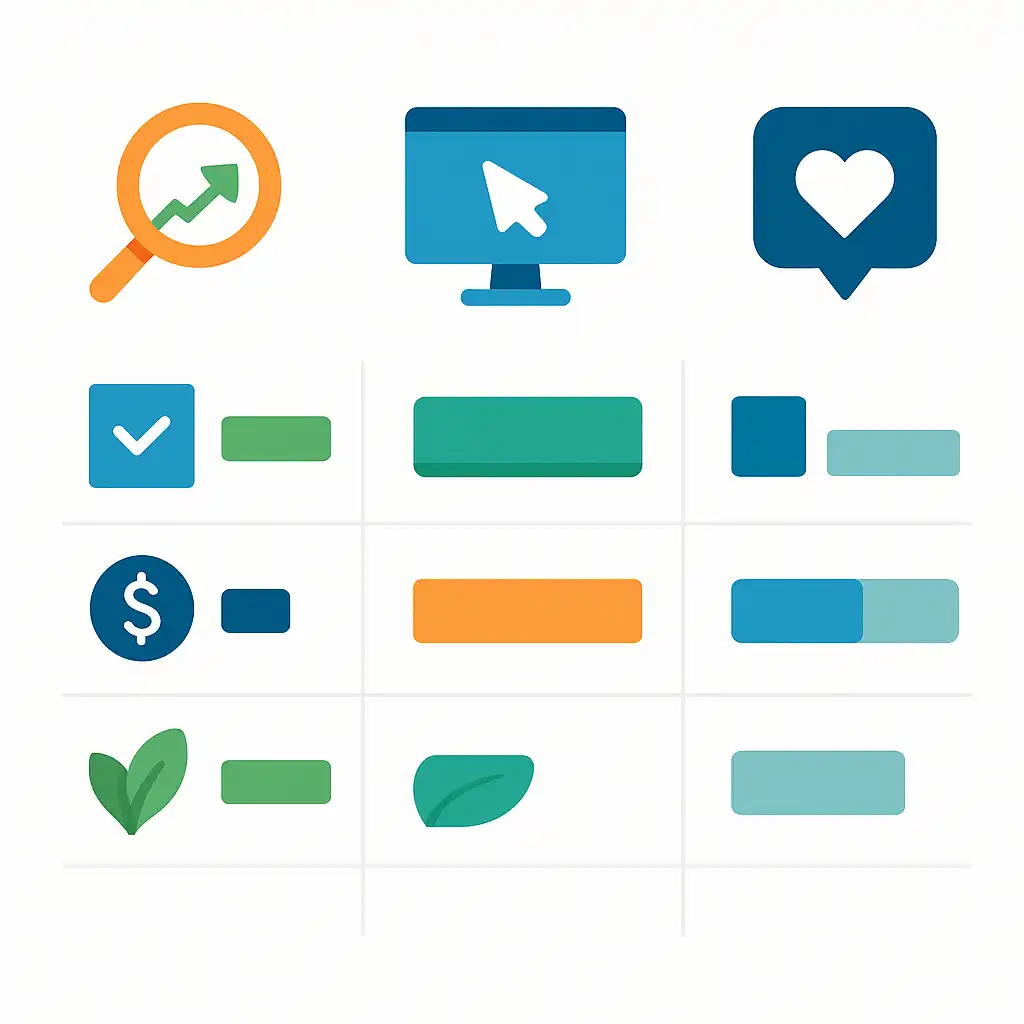
A simple side-by-side table highlights practical differences among SEO, paid advertising, and social media for site owners:
| Method | Cost Structure | Longevity of Results | Traffic Source | Main Limitation |
|---|---|---|---|---|
| SEO | Time, effort | Long-term, compounding | Organic search | Slow to build |
| Paid Ads | Direct spend | Immediate, short-lived | Paid placements | Stops when budget ends |
| Social Media | Time, promotion | Short-term spikes | Platform engagement | Platform-driven reach |
- SEO rewards consistent effort and can provide lasting traffic.
- Paid ads are useful for fast exposure or testing offers.
- Social media delivers rapid bursts but typically requires ongoing effort.
Info: Choosing between SEO and alternative traffic methods isn’t about picking just one. Many website owners combine approaches to balance quick wins and long-term growth.
Real-World SEO Examples for Websites
Understanding how to do SEO on my website is easier with examples. Below are three industry-specific scenarios with actionable tips that reflect common challenges and solutions from practice.
Ecommerce Site: Optimizing Product Pages
Ecommerce product page SEO focuses on unique descriptions, structured data, and customer-driven keywords. Optimizing product pages starts with crafting original, keyword-focused copy—never copying manufacturer text. Each product should have its own meta title and meta description, reflecting what the shopper is likely to search.
In practice, ecommerce teams often prioritize technical fixes like improving image alt text, compressing file sizes, and adding internal links between related products. Structured data (such as schema markup for products and reviews) is widely used to help search engines display price, availability, and ratings in search results.
During implementation, routine checks for duplicate content and accurate stock information keep rankings stable. Many store owners notice that pages with updated reviews and detailed FAQs tend to see better engagement and, over time, climb higher in search listings.
Local Business: SEO for Visibility
Local business SEO centers on optimizing location signals and local listings to improve neighborhood search visibility. Core steps include creating or claiming a Google Business Profile, ensuring name, address, and phone numbers match across all directories, and encouraging customer reviews.
In practice, most local businesses place their city and service area strategically within key web pages, meta tags, and headings. Adding a map and directions is a simple way to reinforce location relevance for both customers and search engines. Event updates and locally relevant blog posts can provide additional opportunities to rank for near-me searches.
Consistent monitoring of local listings is necessary, since minor errors or outdated phone numbers can lead to a loss of trust and lower rankings in map results.
Blog: Content Marketing for Organic Growth
SEO for blogs is grounded in publishing high-quality, keyword-aligned articles on topics that address searcher intent. The process starts by identifying relevant questions, trends, or pain points, then building posts around them with clear headlines, comprehensive answers, and natural keyword placement.
In practice, bloggers often see better results when they interlink related articles, build topic clusters, and include visual elements like images or video. Updating older posts with the latest statistics or fresh examples helps maintain rankings. Many rely on editorial calendars and automation tools to ensure a steady flow of content targeting evolving keywords.
Based on typical workflows, setting up a routine feedback loop—such as by monitoring analytics or search queries—helps identify new opportunities and content gaps for future growth.
Tip: Whether running an online store, a local service, or a content-driven blog, building tailored SEO routines for your site type produces more reliable results than using one-size-fits-all methods.
Frequently Asked Questions
What is the first step to do SEO on my website?
The first step in SEO is keyword research to identify relevant terms your target audience searches for. This helps you create targeted content and optimize site structure. Starting here lays a foundation for all other SEO efforts like content creation and technical improvements.
How long does it take to see SEO results?
SEO results typically start showing within 3 to 6 months after implementing improvements. This timeline varies based on competition, site authority, and consistency of optimization efforts. Patience is key, as search engines need time to crawl, index, and rank your updated content.
Can I do SEO myself without an agency?
Yes, you can do SEO yourself without an agency by focusing on key areas like keyword research, quality content creation, technical site health, and backlink building. Many tools and guides are available for beginners to manage SEO effectively. However, it requires time, ongoing learning, and consistent effort to see results without professional help.
What are common SEO mistakes to avoid?
Common SEO mistakes include keyword stuffing, ignoring mobile optimization, neglecting site speed, using duplicate content, and poor backlink quality. Also, avoid missing meta tags and overlooking technical SEO issues like broken links. These mistakes can hurt your rankings and user experience. Focusing on quality content, proper keyword usage, and technical health improves SEO outcomes.
How often should I update my website for SEO?
You should update your website regularly, ideally at least once a month, to keep content fresh and signal relevance to search engines. Frequent updates help maintain rankings, fix technical issues, and adapt to changing SEO trends. Focus on adding new content, improving existing pages, and addressing user intent to boost your SEO performance.
What are some free website ranking checker SEO tools?
You can use free website ranking checker tools like Google Search Console, Ubersuggest, and SEO Ladders to track your site's keyword rankings and overall domain performance. These tools help you see how your website ranks on Google or other search engines, providing insights to improve your SEO. They're great for monitoring keyword positions and spotting growth opportunities without cost.
How to check the most visited websites globally and by country using analytics and traffic ranking tools?
To check the most visited websites globally or by country, use tools like Alexa, SimilarWeb, SEMrush, and Ahrefs. These platforms provide website traffic rankings, user demographics, and engagement metrics. You can view top site lists or analyze specific site traffic to understand popularity and trends by region.
What sites or methods can I use to check website traffic ranking and get data for most visited websites' traffic statistics?
To check website traffic rankings and explore the most visited sites worldwide, use tools like SimilarWeb, Alexa Internet (now retired, but historical data may exist), and SEMrush. These platforms provide traffic stats, user engagement metrics, and global or country-specific rankings. For your own site, set up Google Analytics to monitor detailed traffic data directly.
Conclusion
SEO doesn’t have to be complicated—if you focus on a clear process, you can start improving your website’s search rankings, even as a beginner. Here’s how to put your learning into action:
- Define your most important keywords and add them naturally to pages and titles
- Optimize your website’s technical health by fixing basic issues (like broken links and missing tags)
- Develop and publish useful content that answers your audience’s questions
- Keep track of your progress and adjust your SEO tactics as your site grows
Want to dive deeper into proven strategies and see how real businesses are winning with SEO? Check out the guide on SEO best practices for 2026 for actionable tips you can use right away.
Take the first step towards transforming your website's performance with actionable SEO insights. Enhance your website's SEO strategy today!
Start for Free