

Table of Contents
What Is a Search Engine? The Complete Beginner’s Guide
If you’re a founder, solo entrepreneur, or anyone just setting out to build an online presence, the term “search engine” probably comes up constantly—but what exactly does it mean, and why should you care? Forget generic jargon: a clear understanding of what a search engine is can make or break your strategy for gaining visibility in a crowded digital landscape.
This guide promises a no-fluff breakdown of “what is search engine” so you can finally see how these tools work, why they matter for your website, and how search engines differ from other online discovery platforms. By the end, you’ll know the basics behind core search concepts, how engines crawl and rank, plus real-world examples you interact with every day.
What Is a Search Engine? A Clear Definition
Search engines are foundational to how users find what they need on the internet. Understanding what these systems are—and how they're different from other online tools— makes it easier to grasp how information is delivered and ranked online.
What does 'search engine' mean?
A search engine is a software system that collects, organizes, and retrieves information from the internet in response to user queries. Its primary job is to crawl the web, index content, and serve the most relevant results when someone searches for something.
Most search engines operate in three main phases:
- Crawling: discovering new and updated web content
- Indexing: saving and categorizing that content
- Retrieving: displaying results based on user searches
In practice, search engines process enormous volumes of information. When you type a question, the engine quickly references its index and applies algorithms that weigh factors such as relevance, site authority, and query intent. This allows even complex questions to receive precise answers in milliseconds.
Other key search engine terms
Several related terms help describe how search engines function. Understanding these can clarify their roles:
- Crawler (Spider/Bot): An automated script that scans websites for new or updated content.
- Index: The organized database of web content that the search engine builds and maintains.
- Algorithm: A set of rules the search engine uses to determine the order of search results.
- SERP (Search Engine Results Page): The page users see after submitting a search query, listing ranked results.
Based on common implementation patterns, terms like ‘organic search,’ ‘ranking,’ and ‘search intent’ become familiar quickly as you work with web content. These concepts are core for anyone optimizing sites for visibility or analyzing web traffic.
How search engines differ from directories
Search engines differ from web directories because they primarily use automated processes to gather and organize content, while directories rely on human curation.
- Search engines automatically scan and index new websites without manual approval. Results are ranked algorithmically by relevance.
- Directories involve people reviewing, categorizing, and listing sites, often in predefined categories. Users typically browse categories to locate content.
In practice, search engines provide far broader coverage of the web, with millions or billions of pages indexed. Directories, while still used for niche discovery or local business listings, represent a curated—and much smaller—slice of online content.
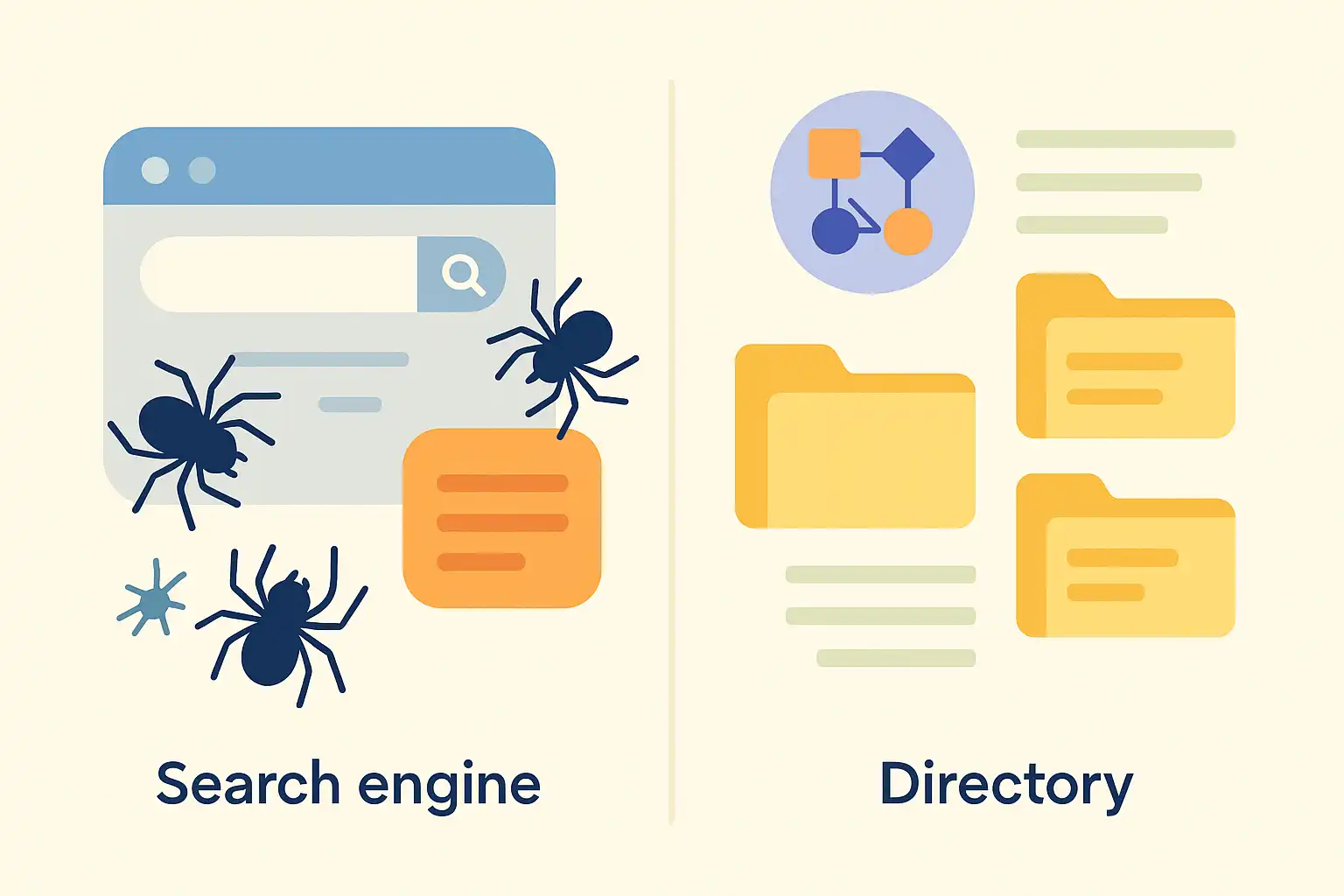
Info: While the terms 'search engine' and 'directory' are sometimes used interchangeably, they refer to fundamentally different systems for locating information online.
Why Search Engines Matter for Online Visibility
Search engines are fundamental to online visibility, acting as the primary channel through which users discover and access web content. Understanding their role helps clarify why ranking in search results is critical for anyone publishing online.
Key Benefits
The key benefits of search engines for online visibility include increased audience access, greater brand exposure, and sustained website growth. When a website is indexed and ranks well, it can attract users who are actively searching for topics, answers, or services related to its content.
Search engines serve as gateways by:
- Matching user queries to the most relevant web pages
- Driving organic traffic without ongoing advertising costs
- Helping establish authority and trust through higher rankings
In practice, even new websites can see meaningful growth when their content aligns with popular search queries. The process of being discovered is not automatic—efforts like keyword research and content optimization are required. As experience shows, consistent ranking boosts credibility for both information sites and businesses looking to reach more potential customers.
Common Use Cases
Common use cases for search engines in improving online visibility center around information discovery, brand building, and lead generation. Most users start with a search engine when they look for:
- Answers to specific questions
- Product or service options
- How-to guides and tutorials
- Background research on topics or organizations
Site owners and creators benefit by tailoring their pages to address search demand, which can lead to consistent traffic from targeted audiences.
Based on common implementation patterns, businesses often optimize their website structure and content to match frequent user queries, focusing on areas like technical SEO, relevant keywords, and informative articles. The long-term result is a steady stream of visitors coming from organic search, often outperforming social or paid channels for sustained reach.
Info: Search engine visibility does not guarantee instant results—building authority and ranking higher require ongoing effort and strategy.
Core Search Engine Concepts You Need to Know
Understanding how search engines operate requires a grasp of three fundamental concepts: crawling, indexing, and ranking. Each one plays a unique role in ensuring users receive the most relevant results for their queries.
Web Crawling: Discovering Content
Web crawling is the process search engines use to find and collect information from public web pages. Specialized bot programs, often called "crawlers" or "spiders," systematically visit websites, following links and recording updates or new content.
In practice, a crawler starts with a list of known pages, explores the links it finds, and periodically revisits sites for changes. Site owners sometimes restrict these bots using a file called robots.txt or specific meta tags to manage what pages are accessible. From personal observation when optimizing websites, it's common to see variations in how quickly a new page appears in search results—heavy internal linking and updated sitemaps tend to boost crawling frequency.
Key aspects of web crawling include:
- Discovery of new pages via links and sitemaps
- Adherence to crawling rules defined by website owners
- Scheduling revisits to catch content updates
Indexing: Organizing Information
Indexing is the process of organizing and storing information found during crawling so it can be quickly retrieved for relevant queries. The search engine creates a vast, structured database called an "index," which contains summaries of page content and metadata.
In a real-world scenario, I've noticed that changes to on-page content (like improving titles or headers) can sometimes take time to update in the index, reflecting how complex this process is. Not every discovered page is indexed—duplicate, low-quality, or blocked pages are usually filtered out. For site owners, submitting an XML sitemap can improve the chances of key pages being indexed.
The index typically stores:
- Keywords and topics found on each page
- Meta information (titles, descriptions, timestamps)
- Signals about page quality and freshness
Search Algorithms and SERP Ranking
Search algorithms are the set of formulas that determine which indexed pages appear on a results page and in what order. The resulting page is known as the Search Engine Results Page (SERP).
These algorithms take hundreds of factors into account, including query intent (what the user wants), keyword relevance, page authority, site usability, and freshness. In practical terms, a website that matches search intent and offers authoritative, easy-to-read content generally ranks higher. Rankings can shift based on update cycles or competitive content improvements, which is apparent when monitoring keyword positions over time.
Major ranking factors include:
- Alignment with user intent
- Page quality and reputation
- Technical factors (mobile usability, load speed)
Info: Search algorithms are frequently updated, meaning that SERP rankings can fluctuate even if site content remains unchanged.

How Search Engines Work: The Complete Process
To answer the question "what is search engine" in practical terms, it helps to understand the steps search engines follow from discovering web content to showing results. This process—crawling, indexing, and ranking—ensures the most relevant information is delivered quickly and accurately.
Step 1: Web Crawling in Action
Web crawling is the automated process of discovering new and updated content across the internet. Search engines use specialized software known as crawlers or bots to scan websites. These bots start by visiting a set of known web pages, then follow links to find additional pages.
In practice, crawlers systematically move from page to page, recording details like the page's location and main links. Crawl frequency depends on factors such as site popularity and how often content changes. Many site owners use robots.txt files to signal which pages should not be crawled, controlling bot behavior.
From a firsthand perspective, seeing the impact of crawling usually means monitoring server logs for bot requests or using webmaster tools. For new websites, it can sometimes take a while before search engines first crawl and recognize them, especially if there are no inbound links from established sites.
Step 2: Indexing and Metadata Storage
Indexing is the process by which search engines organize and store information about web pages. After crawling, data is processed and added to a vast index—a searchable database containing content, metadata, and structural details from each page.
Key information stored includes:
- Page title and descriptions
- Main headings and keywords
- Links to and from the page
- Structured data (if present)
In real-world scenarios, a well-structured site with clear metadata and internal linking is far more likely to be indexed accurately. Pages left out of the index—due to technical issues or explicit instructions—simply won't appear in search results. Site owners often adjust their SEO strategies based on how effectively their pages are indexed, using tools to identify and resolve issues.
Step 3: Ranking Results for User Intent
Ranking is the process search engines use to order indexed pages in response to a user query, based on relevance and various ranking factors. When a search is performed, algorithms evaluate indexed pages for factors like content quality, keyword match, site authority, and user experience.
Typically, steps include:
- Query analysis – Understanding what the user wants.
- Finding relevant pages – Retrieving matching documents from the index.
- Scoring and ordering – Applying ranking signals (such as backlinks, freshness, and usability) to sort results.
From hands-on experience, ranking can fluctuate with changes to site content or algorithm updates. Small adjustments—like enhancing page titles or earning reputable backlinks—can have noticeable effects on position in search results.
Info: Search engines regularly revisit and update their crawl, index, and ranking processes to adapt to changing websites and user behaviors.
Search Engines vs. Directories and Other Tools: Key Differences
Not all online information tools work the same way. This section breaks down the main differences between search engines, web directories, and on-site search so you can choose the right approach for finding or organizing web content.
Comparison: Search Engines vs. Web Directories
Search engines and web directories are distinct tools for locating online information. Search engines automatically crawl, index, and rank pages from across the web, returning results based on complex algorithms. In contrast, web directories rely on human submissions and editorial review, organizing sites by categories.
Most web directories list only a small portion of the web because sites must be manually added and often reviewed for quality. Search engines use automated systems to discover and organize billions of pages, displaying results that match user keywords or natural language queries. Based on frequent use, search engines generally provide more comprehensive coverage, while directories can be useful for browsing curated topics.
In practice, using a web directory feels more like flipping through a categorized index than searching by answering a question. For broad topic exploration, directories offer structure, but they rarely keep pace with the real-time web coverage provided by large search engines.
Comparison: Search Engines vs. On-Site Search
Search engines and on-site search tools serve different purposes despite some similarities. A search engine indexes the entire public web, letting users search millions or billions of pages. On-site search engines are limited to the internal pages of a single website.
On-site search is useful when you know the content exists within a particular site but need to locate it quickly. External search engines help you discover new sites and broader content you might not know about. Typical on-site search results are ranked by keyword relevance or recency, but seldom use the sophisticated ranking algorithms found in web-wide search engines.
In practice, site search often struggles with finding less-optimized or deeply nested content, which can be frustrating. Meanwhile, search engines are optimized for discovery and relevancy across diverse sites—making them the tool of choice for open-ended or unfamiliar questions.
Comparison Table: Main Features
Here is a side-by-side summary of the main features distinguishing search engines, web directories, and on-site search:
| Feature | Search Engine | Web Directory | On-Site Search |
|---|---|---|---|
| Content Discovery | Automated crawling & indexing | Manual site submission | Only internal site pages |
| Result Ranking | Algorithmic, relevance-based | Category or alphabetical | By keyword or date |
| Coverage | Entire public web | Selected/categorized sites | Single domain |
| User Query Type | Natural language, keywords | Browse by category/keyword | Site-specific keywords |
In my own usage, the key difference comes down to speed and scope—search engines quickly answer questions from a broad pool, while directories and site search feel more constrained. Each tool suits different types of searches, from broad discovery to focused internal lookups.

Info: For in-depth research on specific categories, a web directory can provide vetted results, but for up-to-date answers and broad discovery, search engines are generally the faster and more flexible option.
Real-World Search Engine Examples
Understanding "what is search engine" often becomes clearer by looking at major platforms people use every day. Examining Google, alternatives like Bing and Yahoo, and specialized search engines highlights how different systems approach the same goal: helping users find useful information online.
Google: The Leading Example
Google is the most widely used search engine, known for delivering relevant results quickly by ranking web pages using complex algorithms. Google’s core function is to crawl billions of web pages, create an organized index, and return the most useful answers based on user intent and search terms.
Users typically turn to Google for everything from simple questions to in-depth research. Google’s results often include web pages, images, local business listings, maps, and other content formats. It uses various signals to determine relevance, such as keywords, page quality, and user interaction patterns.
In practice, websites aiming to improve online visibility often optimize for Google's algorithms, since this platform reaches the largest global audience. Many SEO strategies are influenced by updates to Google search guidelines, which can directly impact how sites appear in results.
Bing and Yahoo: Alternative Search Engines
Bing and Yahoo are two significant alternatives to Google, each supporting millions of daily searches but with unique approaches to indexing and presenting information. Bing is operated by Microsoft and powers search results for its own ecosystem, including Windows and its voice assistant. Yahoo’s search is currently powered by Bing, making their results similar, although Yahoo provides its own interface and auxiliary content.
Many users select these alternatives for reasons such as different search features, integration with specific devices, or privacy considerations. While their market share is smaller than Google’s, Bing and Yahoo can send meaningful traffic to websites, and their ranking factors occasionally differ from Google’s.
Based on common implementation patterns, websites that diversify their SEO strategies to include Bing and Yahoo sometimes discover unique keyword opportunities and audience segments not as competitive as Google’s.
Specialized Search Engines
Specialized search engines are platforms focused on a distinct type of content or user need. These engines may prioritize privacy, like DuckDuckGo, or target academic resources, videos, images, or business data. Their value lies in filtering results more narrowly to match a particular domain.
For example:
- Privacy-focused: DuckDuckGo, Startpage
- Visual or video search: YouTube (for videos), Google Images
- Academic: Google Scholar
- Job or business data: LinkedIn, Indeed (for jobs), Crunchbase
In practice, individuals and organizations often use specialized search engines to access information that general-purpose engines can’t refine efficiently. This can be especially beneficial for research, professional networking, or data-driven tasks where standard search results fall short.
Info: Not every search engine works the same way; some focus on general web content, while others are designed for privacy, specialized formats, or particular professional fields. Choosing the right engine depends on your intent and the type of information needed.
Frequently Asked Questions
How does a search engine find new websites?
A search engine finds new websites by sending out automated programs called crawlers or spiders to discover and scan web pages. These crawlers follow links from known sites to new ones, indexing the content to include it in search results. This process helps search engines keep their databases up-to-date with the latest websites.
What’s the difference between crawling and indexing?
Crawling is the process where search engines discover new or updated web pages by following links. Indexing happens next, where those pages are analyzed and stored in the search engine's database for retrieval in search results. Simply put, crawling finds the pages, and indexing organizes their content for search.
Why do search engines show different results for the same query?
Search engines show different results for the same query because they personalize results based on factors like your location, search history, device type, and preferences. They also vary their algorithms and index updates constantly. This helps provide more relevant and tailored results to each user.
Can search engines access any webpage?
No, search engines cannot access every webpage. They can only crawl pages that are publicly available and not blocked by restrictions like robots.txt files, password protection, or noindex tags. These limitations prevent search engines from indexing certain content, keeping it hidden from search results.
How can a website be listed faster on search engines?
To get a website listed faster on search engines, submit its sitemap directly to platforms like Google Search Console and Bing Webmaster Tools. Additionally, ensure your site has a clean sitemap.xml file, uses proper robots.txt settings, creates quality content regularly, and builds backlinks. These actions help search engines discover and index your pages more quickly and accurately.
What is a free keyword search tool online?
A free keyword search tool online helps you find keywords and SEO metrics without cost. Popular options include Google Keyword Planner, Ubersuggest, and SEO Ladders' keyword research feature. These tools generate keyword ideas, track search volume, and analyze competition, aiding content strategy and SEO growth for beginners and entrepreneurs.
What are some free keyword research tools for SEO?
There are several free keyword research tools you can use for SEO, such as Google Keyword Planner, Ubersuggest, Answer the Public, and SEO Ladders' own keyword research feature. These tools help generate keyword ideas and provide basic SEO metrics without cost, aiding beginners and solo founders in optimizing their content effectively.
free keyword research tool
Several free keyword research tools help you find keyword ideas, search volumes, competition, and long-tail variants without upfront costs. Popular options include Google Keyword Planner, Ubersuggest, and AnswerThePublic. These tools support SEO efforts by providing essential keyword insights for content optimization and growth strategies.
Conclusion
Search engines are the backbone of how people find content, products, and services online, making a clear grasp of them essential for anyone building a digital presence.
- Review the definition and role of search engines as covered above
- Take a closer look at how search engines operate, from crawling to ranking
- Identify the key differences between search engines and online directories
- Explore real-world search engines and evaluate which matter most for your goals
Want to keep building your SEO skills? Check out the SEO Ladders blog for actionable search advice and discover step-by-step guides designed for founders and beginners.
Take the first step towards transforming your website's performance with actionable SEO insights. Enhance your website's SEO strategy today!
Start for Free