
Table of contents
TL;DR
- On-site SEO impacts how search engines rank your website.
- Key tactics include meta tags, internal linking, and fast page speed.
- Prioritizing mobile responsiveness boosts both rankings and user experience.
- Real examples clarify practical on-site SEO improvements.
You spend hours updating your website, yet somehow your pages don’t climb in Google rankings or turn visitors into leads. For website owners like you, the reasons often run deeper than flashy design or catchy headlines—they're baked right into your site’s structure and content.
This article strips away the jargon and gives you the practical answers you need about what is on-site SEO. You’ll get a clear definition, see why it matters, learn the must-know concepts, walk through a step-by-step process, and review real examples. No fluff—just the essentials to help you take action and finally see results from your SEO efforts.
What Is On-Site SEO? A Clear Definition
On-site SEO is the process of refining your website’s individual elements so search engines and real visitors can easily find, understand, and use your content. This section breaks down what counts as on-site SEO, why it’s important, and how core components contribute to better rankings and usability.
Meta Tags Explained
Meta tags are bits of code in your site's header that provide search engines with information about a web page’s content. "Meta tags" is the term for these snippets, which include the title tag, meta description, and sometimes structured data. According to the SEO Audit guide from Bird, search engines use meta tags to decide what your page is about and how it should appear in results.
From experience, title tags can't be ignored—they strongly influence click-through rates. But stuffing every keyword in isn't the answer. A clear, readable title that reflects the main topic works best. Meta descriptions don't directly impact rankings but can persuade users to click, especially when they match search intent. Some teams overlook meta tags during site updates or migrations—a common slip that can hurt both visibility and branding. Curious how to craft better tags? Try using a Meta Description Generator to get started with easy, tailored suggestions.
Keyword Optimization Basics
Keyword optimization is the practice of choosing and placing words in your content that match what users type into search engines. "Keyword optimization" means aligning your pages with specific search queries to increase visibility. In practice, this isn’t just about adding keywords everywhere. Research from SEO Ladders’ Topical Authority feature highlights how targeting long-tail, lower-competition phrases often yields better results than chasing ultra-popular terms.
Think about this: teams that rely solely on gut instinct often miss out on real search insights. Better to analyze keyword intent, group terms by topic, and place them in natural spots—the headline, a few subheadings, and body text. Competitive gaps can open up when you ignore what phrases your audience actually uses. A pitfall? Over-optimizing, which can make your writing sound robotic or get penalized. Real results come from blending strategy with genuine understanding of your topic.
Site Architecture Overview
Site architecture is the way your website’s pages are organized, linked, and structured for both users and search engines. "Site architecture" refers to your site’s blueprint—how menus, categories, and internal links connect each page. According to Obelisk’s Trusted Framework for Long-Term Digital Growth, a clean, logical structure helps search engines crawl and index your entire site efficiently.
In day-to-day experience, a site with scattered navigation or weak internal links is a recipe for confusion. Visitors shouldn’t have to dig to find what they want. Easy-to-follow categories and sensible links keep users (and search engines) engaged. Some webmasters overcomplicate menus or neglect old URLs, creating dead ends and drop-offs. If you’re considering new features, check out all integrations available to keep your stack streamlined as you evolve your SEO approach.
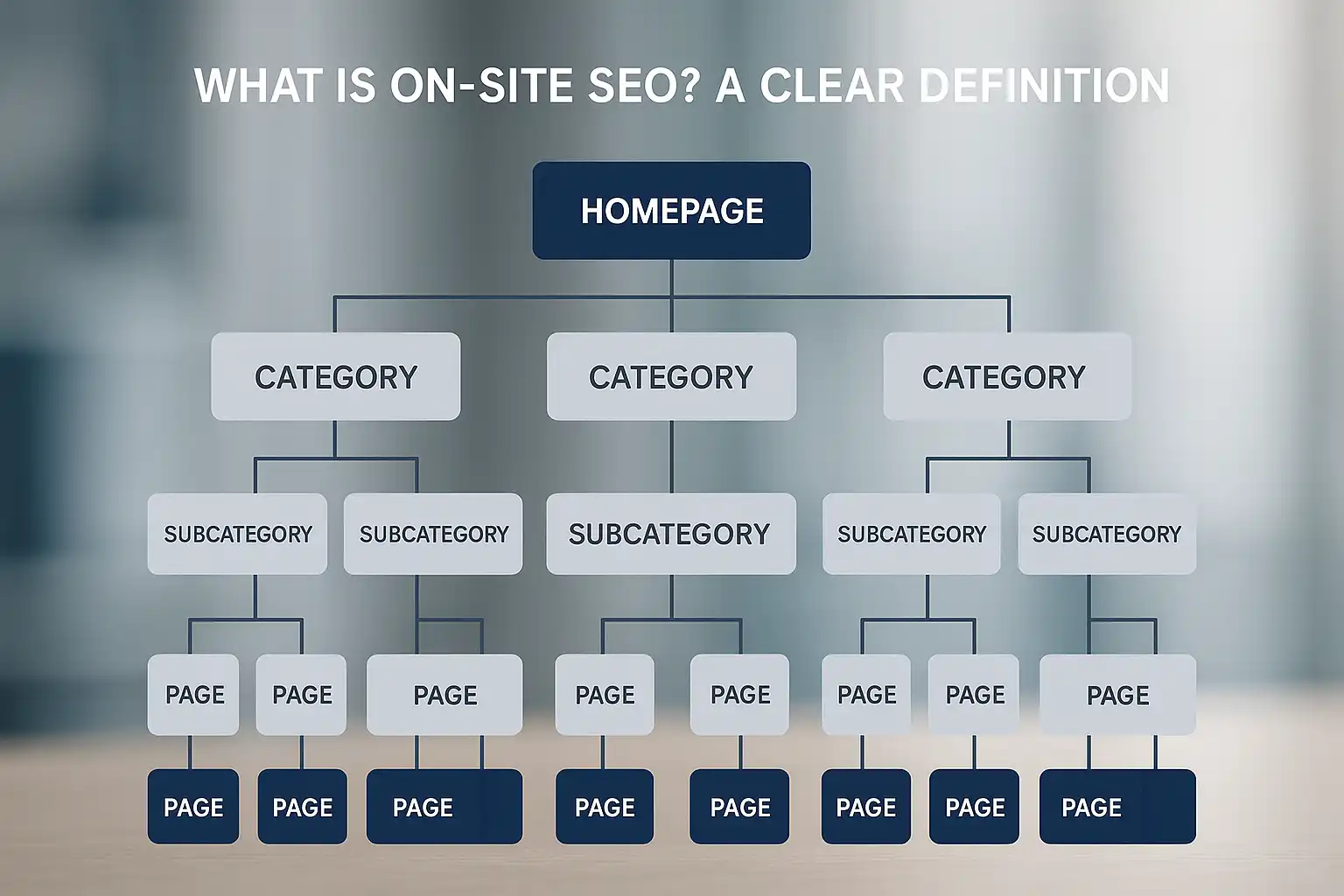
Expert Insight: On-site SEO requires ongoing attention—algorithm updates, site changes, and user trends mean static strategies rarely deliver lasting results.
Why On-Site SEO Matters for Website Owners
On-site SEO isn't just about satisfying search engines—it shapes how real visitors engage with your website. When site owners focus on optimizing pages from the ground up, the right people actually find and use their content.
Key Benefits
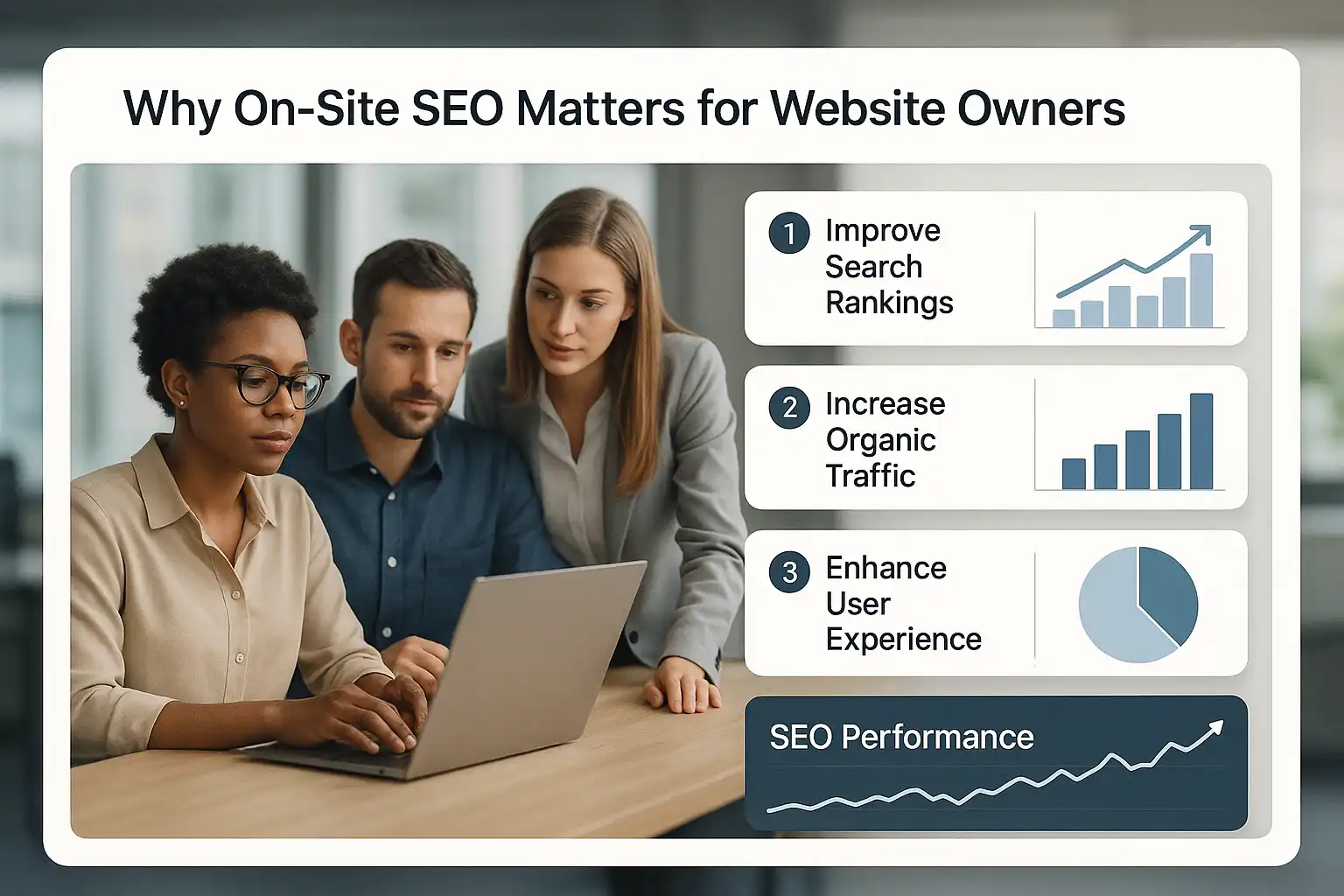
The main benefits of on-site SEO revolve around improved search visibility, user experience, and trust. Optimizing meta tags, site speed, and internal links directly helps Google understand and rank your pages. According to JoomDev, well-structured site content and navigation can meaningfully boost ranking potential—without this, even great content gets lost.
On-site work also shapes user experience right away. Fast-loading pages and relevant internal links keep visitors engaged. In practice, teams often see bounce rates drop once technical issues and keyword alignment are addressed. You can't overstate the peace of mind that comes from full control: on-page changes are instant, unlike chasing elusive backlinks.
If you're curious about supporting tactics, see how internal linking strategies support these benefits while keeping visitors on your site longer.
Common Use Cases
On-site SEO is most frequently used by website owners who want reliable gains in search ranking or are preparing for major updates. The most common scenarios include:
- Launching a new site to ensure it's discoverable from day one
- Refreshing stale content that no longer brings organic visitors
- Improving rankings for competitive blog or ecommerce pages
- Preparing for a redesign to avoid losing hard-earned positions
We've seen site owners use keyword research tools to surface realistic targets and then structure their content accordingly. It becomes especially important if you're running a niche business—organic traffic relies on being crystal clear about what you offer and who it's for. One overlooked detail: even minor tweaks, like updating headers, can pay off faster than expected when you target the right terms.
Expert Insight: On-site SEO controls are always in your hands, so even small optimizations can stack up to long-term traffic and ranking gains—often faster than waiting on off-site efforts.
Core On-Site SEO Concepts You Need to Know
Core on-site SEO concepts make or break your site's performance both for search engines and users. Let's break down three fundamentals every website owner should master for lasting results.
Internal Linking Done Right
An effective internal linking strategy is the backbone of strong on-site SEO. Internal linking is the practice of connecting relevant pages within your own site to guide users and search engines. When you plan logical link paths, search engines can better understand which pages are important—and users are nudged toward your most valuable content.
In practice, teams often overlook this or create random links that confuse both search bots and people. Instead, centralize links around pillar pages and ensure every key topic gets supporting links from logical sources. Using a tool or workflow that encourages smart internal linking structure keeps things organized.
First step: audit your top pages. Identify where internal links are missing or misdirected. Second: use descriptive, keyword-relevant anchor text—not just “read more.” This small change improves clarity, search context, and user experience—but it does take regular tuning.
Improving Page Load Speed
Page load speed is a measurable factor in on-site SEO that influences both user experience and rankings. Page load speed is the time it takes for a web page to become fully interactive. According to Nettl, slow load times can cause visitors to bounce long before they ever see your content.
Simple fixes often make a huge difference:
- Optimize images to reduce file size
- Limit third-party scripts
- Use browser caching and a reliable host
In experience, even technically savvy teams underestimate how much old plugins or bulky images can slow them down. Always retest after any site change. Continuous speed monitoring—like a routine technical health audit—reveals issues early so you stay ahead of Google’s standards.
Mobile Responsiveness Strategies
Mobile responsiveness is the process of ensuring your website displays and functions well on all device sizes. Mobile responsiveness is now a baseline expectation for ranking and usability. When users visit from their phones (which is most people these days), they expect content to look clean and buttons to work without pinching or zooming.
Methods that pay off:
- Use a responsive design framework
- Test every key page on real mobile devices—not just simulators
- Compress and prioritize mobile assets for faster phone loads
Teams often fail by optimizing for desktop only, then scrambling when mobile rankings slip. Review your site with these mobile-friendly SEO tips as part of your regular workflow. Even small tweaks—like larger tap targets or fixing off-screen content—can boost your results quickly.
Expert Insight: Auditing your internal links and refresh speed after each major site change often exposes hidden, fixable SEO bottlenecks.
How On-Site SEO Works: The Complete Process
On-site SEO blends technical setup, content improvements, and usability tweaks into a single, ongoing workflow. Getting each step right can mean the difference between steady search traffic and obscurity. Below, we break down what this process looks like in real terms.
Content Quality and Optimization
Content quality is the foundation of effective on-site SEO because search engines prioritize pages that address search intent clearly. According to Boost One SEO, high-quality, original content that's regularly updated is a major trust signal for ranking well. Building each page around topics your audience actually searches for takes more than basic research, though. Small details—like adjusting word count to match what already surfaces in top results and including related subtopics—matter in practice.
Website teams often find that content gaps or thin areas become obvious only after running a site audit. That's when optimization really clicks: adding relevant headings, clarifying answers, and ensuring the page solves a real question. For a practical deep dive into optimizing blog articles from research through internal linking, see the guidance in Schedule & Publish.
Structuring Pages for Search Engines
Structuring pages for search engines means organizing every element for readability by both bots and humans. Effective page structure uses HTML elements—such as H1 headings, logical sub-headings, and schema markup—to signal what the page covers. The structure should match the page’s main idea while breaking down supporting topics naturally.
- Title Tag—Summarizes page intent using a target keyword.
- Meta Description—Expands on the content and invites click-throughs.
- Headings (H1, H2, H3)—Create a hierarchy of information for bots to follow.
- Internal Links—Connect to other relevant pages, helping users and engines discover your site.
In practice, mapping out structure before writing saves hours of cleanup later. Templates or tools like the Article Outline Generator streamline this step.
User Experience Enhancements
User experience enhancements are measurable changes that make visitors stay longer, interact more, and convert better on your site. Elements like fast load times, clear navigation, and mobile-friendly layouts directly influence both rankings and engagement. Google now weighs these factors as core ranking signals, so ignoring them is risky.
A common pitfall is obsessing over keyword placement but neglecting UX—leading to high bounce rates or frustrated users. In practice, thoughtful improvements like simple menus, informative error pages, and well-sized buttons make a bigger impact than most realize. For additional ways to monitor and improve technical health tied to UX, the Technical Health feature provides step-by-step checks.
Expert Insight: Even perfectly optimized content can underperform if the site’s structure or UX sends negative signals—balance all three pillars to see real ranking gains.
Real-World On-Site SEO Examples
Seeing on-site SEO in the wild is the best way to grasp how small changes can boost search rankings and user experience. These examples come straight from actual site improvements—no theory, just what works.
E-commerce Product Page Optimization
E-commerce product page optimization is the process of enhancing page elements—like descriptions, structure, and metadata—to improve visibility and drive sales in search engines. According to SEOExperts.com, product pages consistently benefit from unique titles, detailed specifications, and logical internal links.
In practice, teams often realize descriptions are too generic or pulled straight from suppliers. Swapping them for original content that matches real user queries immediately sets a page apart. Key steps include:
- Keyword-Focused Headings – Use clear, varied H1 and H2 tags with target terms.
- Improved Meta Tags – Write specific meta descriptions for each product rather than recycling a template. You might use a Meta Description Generator to save time.
- Internal Linking – Link from related categories or blog posts to drive authority and help shoppers compare options.
Overlooked detail: adding FAQ schema enables rich results, boosts trust, and improves click rates.
Blog Post with Effective Internal Links
Blog posts with effective internal links guide readers to related topics and help search engines understand content relationships. An optimized blog post integrates links to supporting articles, relevant guides, and cornerstone pages early in the content.
The most useful links typically appear in the introduction or first section, where they're naturally relevant. If you need inspiration, the SEO Ladders Blog showcases articles demonstrating useful internal links in action. In practice, you’ll want:
- Anchor text that matches the linked page’s topic
- A balance (not dozens of links per paragraph—just what aids discovery)
- Context around each link so readers know what to expect
A common pitfall: over-linking to just one destination or stuffing anchor text. Results are clearer when links genuinely complement the article’s topic and flow.
Mobile-First Website Transformation
A mobile-first website transformation is when a site prioritizes mobile usability, ensuring all on-page SEO elements (from navigation to images) perform best on smaller screens. This shift goes beyond responsive design: every heading, image, and internal link must function seamlessly on a phone.
Teams often find content layouts that look great on desktop may break or become unreadable on mobile. Fixing this means testing key flows—navigation, search bars, and content modules—on both simulated and real devices. Optimizing image sizes reduces load times, directly influencing both rankings and user satisfaction. To see practical solutions, check out how Schedule & Publish can ensure your pages adapt appropriately across devices.
In reality, the downside? Extra QA time and occasional design compromises. But making mobile the starting point pays off with broader reach and stronger Core Web Vitals.
Expert Insight: On-site SEO improvements work best when combined—pages using clear internal links, unique meta tags, and mobile-focused design often outperform those optimizing just a single element.
Frequently Asked Questions
Is on-site SEO more important than off-site SEO?
On-site SEO and off-site SEO are both crucial, but neither alone is more important; they work together. On-site SEO improves your website's structure and content for search engines and users, while off-site SEO builds your site's authority through backlinks. Balanced efforts in both areas deliver the best ranking results. Tools like SEO Ladders automate on-site SEO content creation, easing this crucial part of optimization.
How often should I update on-site SEO elements?
You should review and update on-site SEO elements at least every 3 to 6 months, or whenever you add new content or notice shifts in search trends. Regular updates help maintain relevance, fix technical issues, and improve rankings. Tools like SEO Ladders automate monitoring and content refreshes to keep your SEO effective with less manual effort.
Does page speed really affect rankings?
Yes, page speed is a confirmed ranking factor by Google and affects both search rankings and user experience. Faster-loading pages improve engagement, reduce bounce rates, and can lead to higher rankings. Optimizing page speed is a key part of on-site SEO. Tools like SEO Ladders can help identify and improve speed-related technical issues to boost your site's performance and rankings.
Can internal linking improve keyword rankings?
Yes, internal linking can improve keyword rankings by distributing page authority and helping search engines understand site structure. It enhances user navigation and helps highlight important pages, which can boost their visibility in search results. Automated tools like SEO Ladders include internal linking strategies to efficiently support on-site SEO and strengthen keyword targeting.
What's the most overlooked on-site SEO factor?
The most overlooked on-site SEO factor is site speed and performance optimization. Many focus on keywords and content but neglect page load times, which directly affect user experience and Google rankings. Ensuring fast loading pages with optimized images, clean code, and efficient hosting improves both usability and SEO. Tools like SEO Ladders can help automate checks and content optimizations, including performance aspects, to boost rankings.
Conclusion
On-site SEO comes down to making your website clear, useful, and trust-worthy for both search engines and users. You can get started right away:
- Audit your pages for keyword targeting and relevance
- Fix title tags, headings, and meta descriptions to highlight each page’s main focus
- Check internal links and make sure your site is easy to explore
- Review real-world successful pages for structure ideas and inspiration
Consistency and attention to detail will set your pages apart and build real visibility. ↑ Back to top
Ready to put these on-site SEO strategies into action? Start for free and unlock automated optimizations that boost your site's visibility—no technical experience needed.
Want this done for you? SEOLadders finds the topics, writes the articles, and gets you cited by AI and ranking on Google, on autopilot.
7-day free trial · Cancel anytime