

Table of Contents
How to Do SEO on My Website: A Practical Beginner’s Roadmap
Struggling with where to start SEO for your brand-new website? Founders and solo entrepreneurs often feel overwhelmed by conflicting advice, technical jargon, and limited budgets—especially when every expert claims a different "must-do" strategy.
This guide promises a straightforward, actionable roadmap on how to do SEO on your website, even if you’re starting from scratch. You’ll learn clear definitions, essentials every website owner should know, step-by-step execution, real-life examples, and how website SEO stacks up against other digital growth strategies.
What Is SEO? A Clear Definition
SEO—short for Search Engine Optimization—is the practice of improving a website’s content, structure, and visibility to help it rank higher on search engines like Google. When you understand how to do SEO on your website, you set the foundation for attracting organic traffic from people searching for your topics or services.
Understanding Keywords, On-Page, and Off-Page SEO
Keywords, on-page SEO, and off-page SEO are foundational concepts that describe how websites become more visible in search results.
Keywords are words or phrases that people type into search engines. Choosing relevant keywords allows your content to match what users are looking for.
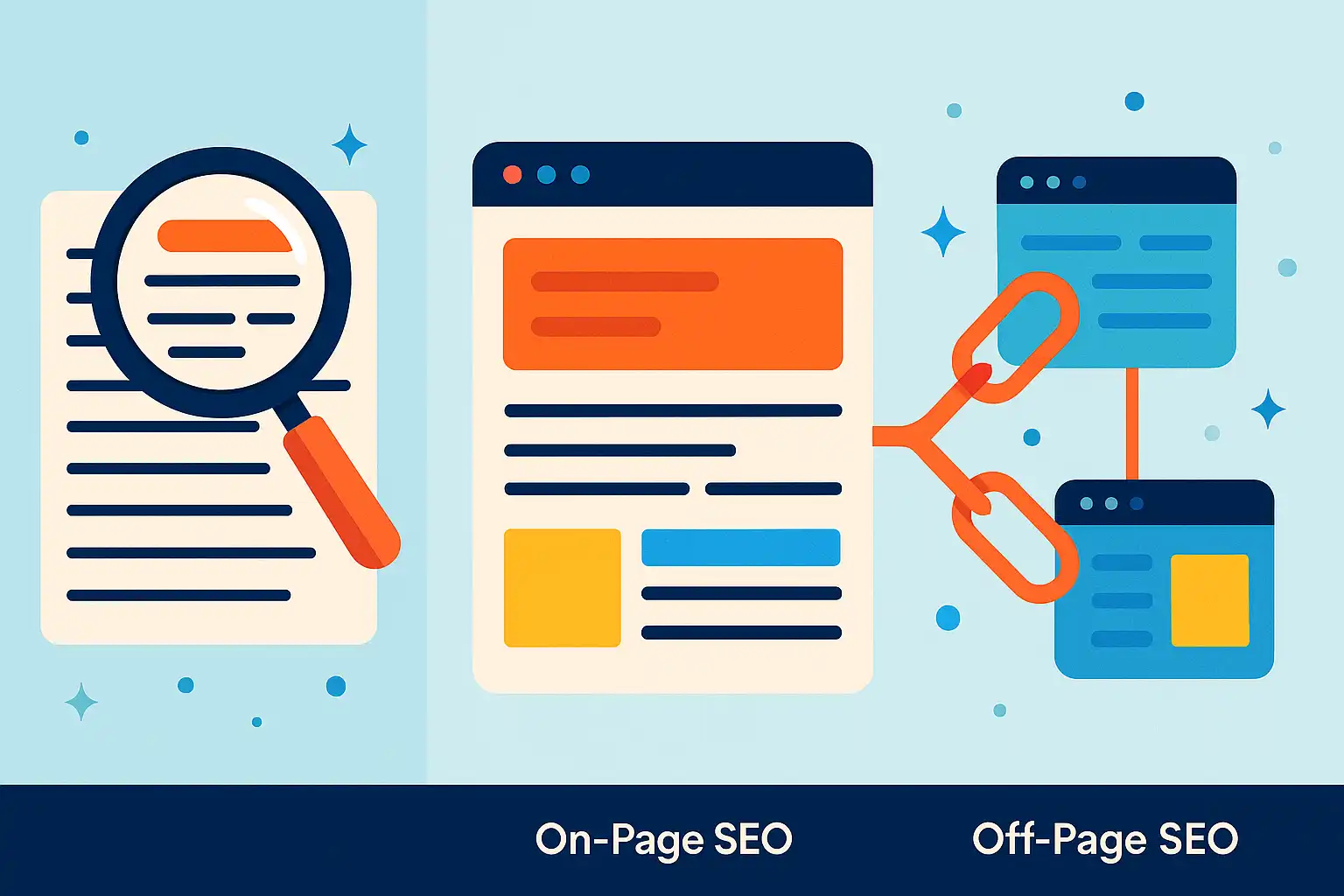
On-page SEO refers to optimizations done directly on your website—such as improving headlines, meta tags, URL structure, and adding well-organized content. This helps search engines understand and rank your pages for the right topics.
Off-page SEO involves building your website’s authority through actions outside your own site. The most common example is earning links from other reputable websites, known as backlinks. In practice, most site owners find that balancing both on-page content improvements with off-page link building leads to better results over time than focusing on just one area.
Essential SEO Terminology Explained
SEO terminology includes core concepts like crawling, indexing, and ranking.
- Crawling is when search engines scan your webpages to learn what is there.
- Indexing means storing and organizing your site’s information so it can appear in search results.
- Ranking determines the order your pages appear for specific queries.
Other common terms:
- Backlinks: Links to your site from others
- Alt tags: Descriptive text for images
- Meta descriptions: Summaries that show in search results
Based on common implementation patterns, getting comfortable with these terms makes it easier to diagnose issues or set goals for your site. Many beginners find that reading real-world guides or using SEO dashboards helps demystify these concepts through direct feedback.
The Role of Search Engines in SEO
Search engines are systems that discover, evaluate, and organize online information to provide the most relevant answers to users. SEO is the process of making your site more easily understood and valued by these systems.
Search engines rely on algorithms to measure factors like content relevance, usability, speed, and credibility. When you optimize your site with quality content and technical fixes, you increase your chances of being ranked higher.
In practice, understanding what search engines prioritize lets you focus your efforts only on changes that truly move the needle. Most SEO work involves aligning your site’s pages with search intent and addressing technical problems that could limit visibility.
Info: Even small tweaks to your site’s SEO—such as updating page titles or earning a new backlink—can gradually improve your ranking and search visibility over time. SEO is an ongoing process, not a one-time fix.
Why SEO Matters for Website Owners
SEO directly impacts a website’s visibility, organic traffic, and long-term growth. For site owners, understanding the value of proper optimization is the first step to building an online presence that consistently attracts visitors and delivers results.
Key Benefits of Optimizing Your Site
Optimizing your website for SEO improves its chances of ranking higher in search engine results, resulting in greater organic visibility. Well-structured sites are easier for search engines to crawl and understand, leading to more opportunities for your pages to appear in relevant searches.
Website owners often see benefits beyond just rankings, including:
- Increased credibility with users who trust search results
- Ongoing traffic without the recurring costs of paid advertising
- Better engagement through high-quality, relevant content
In practice, consistently refining website content and technical elements can gradually boost a site’s authority in its niche. Many owners see the difference in sustained growth rather than short-lived spikes tied to external campaigns.
How SEO Drives Business Results
SEO drives business results by connecting website content with users who are actively searching for related solutions. Higher rankings often correlate to more qualified traffic, as searchers are already expressing interest in your topic or offering.
Site owners typically notice improvements in:
- Lead generation or online sales
- Subscriber or newsletter signups
- Brand recognition within their target audience
Based on common implementation patterns, even modest SEO improvements can lead to new revenue streams or lower customer acquisition costs. Over time, the compounding effect of ongoing optimization creates a sustainable competitive advantage.
Common Use Cases for Site SEO
Common use cases for website SEO range from local service discovery to scaling e-commerce traffic and supporting content-driven brands. Owners of all types rely on SEO to solve practical business challenges, such as:
- Reaching local customers searching for nearby businesses
- Building long-term readership for blogs or news outlets
- Growing product sales through targeted, non-paid search traffic
In real projects, tailoring SEO priorities to your site’s unique goals—whether that involves local optimizations or technical site improvements—makes the process more impactful and less overwhelming for beginners.
Info: SEO is a continuous process. Over-optimizing or making sudden, drastic changes can sometimes lead to ranking drops. Iterative improvements, reviewed regularly, typically offer the best results.
Core Website SEO Concepts You Need to Know
To optimize your website for search engines, understanding foundational SEO concepts is essential. Focusing on the right keywords, creating quality content, and addressing technical issues all play a distinct role in improving your site’s chances of ranking higher and attracting visitors.
Keyword Research and Search Intent
Keyword research is the process of identifying the terms and questions your target audience types into search engines. Matching this research to user search intent means choosing keywords that reflect what users genuinely want to find.
To shape your SEO strategy:
- Shortlist keywords that align with your expertise and what your audience likely searches for
- Consider different types of search intent, including informational (wanting answers), transactional (ready to buy), and navigational (finding a site or brand)
In practice, many site owners start by brainstorming topics, then investigate the language real users employ using available keyword research tools. This often uncovers surprises—audiences may search for different phrases than you assumed. Checking what shows up on Google’s first page for candidate phrases helps confirm the intent behind a query and avoid misalignments.
- Focus on keyword difficulty and whether your site can realistically rank
- Analyze how top search results satisfy user intent, not just keyword presence
For those new to this process, keyword research platforms can streamline discovery and intent analysis, saving manual guesswork.
On-Page SEO: Content and Meta Tags
On-page SEO refers to optimizing the actual content and code elements of your web pages to make them more relevant to both users and search engines. This includes the strategic use of headings, keywords, and meta tags.
Effective on-page optimization involves:
- Crafting clear page titles and meta descriptions reflecting your topic
- Using headings (H1, H2, etc.) to organize information logically
- Naturally including primary and related keywords, without overstuffing
- Adding descriptive, unique alt text to images and internal links for navigation
Based on common implementation patterns, focusing on user readability nearly always improves SEO signals. Well-written, concise content typically outperforms keyword-heavy or poorly formatted pages. In practice, regularly reviewing and updating meta tags to match updated content or shifting search trends is a simple habit that can improve click-through rates from search results.
Technical SEO: Audits, Speed, and Mobile
Technical SEO is the discipline of ensuring your website’s infrastructure allows search engines to discover, crawl, and index your content efficiently. Key areas include site audits, speed optimization, and mobile-friendliness.
A technical site audit checks for problems such as:
- Broken internal links
- Slow-loading pages
- Unoptimized images
- Mobile usability errors
In practice, recurring audits catch new issues as a site grows. Even minor technical difficulties—like slow response times or incomplete mobile layouts—can limit your visibility. Website owners often see tangible ranking improvements simply by eliminating crawl errors and speeding up page delivery.
Modern tools can flag most technical issues quickly, allowing non-developers to prioritize fixes that have the biggest SEO impact. Prioritizing technical health helps search engines access and reward all the work you put into keyword targeting and content.
Tip: Even if your content is outstanding, unresolved technical SEO issues or mismatched search intent can keep your site buried. Prioritize regular audits alongside your keyword and content efforts.
How to Do SEO on My Website: The Complete Process
Learning how to do SEO on your website starts by addressing four essential areas: keyword research, on-page content, technical health, and building authority through backlinks. Each step matters, and taking an organized approach makes the process more manageable for beginners.
1. Keyword Research: Finding What to Target
Keyword research is the process of identifying which search terms your audience uses to find information online. It forms the foundation for effective SEO because targeting the right keywords ensures your efforts align with actual search demand.
To start, list broad topics relevant to your site, then use keyword research tools to find related terms and check their search intent, volume, and competitiveness. Focus on:
- Search phrases with a clear link to your content or offerings
- Lower-competition keywords that you have a realistic chance to rank for
- Terms with buyer or informational intent if you're seeking conversions or informative traffic
In practice, it’s helpful to group keywords by topic and prioritize those that reflect how people search today. Mapping keywords to specific pages can also guide content planning, ensuring each page serves a distinct purpose.
For those new to keyword discovery, platforms like SEO Ladders’ Keyword Research can help by filtering opportunities matched to your site's authority and highlighting realistic targets.
2. Content and On-Page Optimization Steps
On-page optimization is the practice of improving individual pages so they can rank higher for targeted keywords. It includes refining content quality, meta tags, headings, and internal linking.
A step-by-step process most site owners follow looks like this:
- Choose a target keyword for each page.
- Write content that answers user questions thoroughly and naturally includes your keyword.
- Add headings (H1, H2, etc.) to structure information for both users and search engines.
- Optimize meta tags (title and description) to accurately convey page topics.
- Incorporate internal links to connect related pages across your site.
Based on common implementation patterns, updating dated content with fresh statistics and examples helps maintain visibility. Including relevant images and concise FAQs can also improve user engagement and dwell time.

3. Technical SEO: Fixing Site Health and Speed
Technical SEO involves optimizing website infrastructure so search engines can easily access, crawl, and index your pages. Core areas include fixing errors, boosting site speed, and ensuring mobile-friendliness.
Essential technical SEO tasks include:
- Running site audits to detect broken links, duplicate content, and missing tags
- Improving page load times, such as by compressing images and using caching
- Making sure all content is accessible on mobile devices
In practice, even basic issues like slow performance or non-secure connections can hold your site back. Regularly checking technical health—using solutions like SEO Ladders’ Technical Health feature—helps uncover hidden blockers and provides clear, actionable fixes.
4. Backlink Building and Authority Signals
Backlink building is the process of earning links from other reputable websites, which signals authority and trust to search engines. Quality backlinks continue to be a core factor in search rankings.
To build backlinks:
- Reach out to relevant sites for guest post opportunities
- Create content that others find worth referencing, such as guides or original research
- Participate in industry directories or resource lists
Based on experience, authentic outreach and consistent link acquisition work better than shortcuts or buying links. Monitoring your backlink profile over time reveals which relationships move the needle and where you may need to address spammy or broken links. Tools like SEO Ladders’ Backlinks assist with tracking and analysis.
Tip: Optimizing one area without addressing the others can limit your results. Successful SEO is an ongoing cycle—revisit these steps regularly to adapt to new trends and algorithm updates.
Website SEO vs. Other Strategies: Key Differences
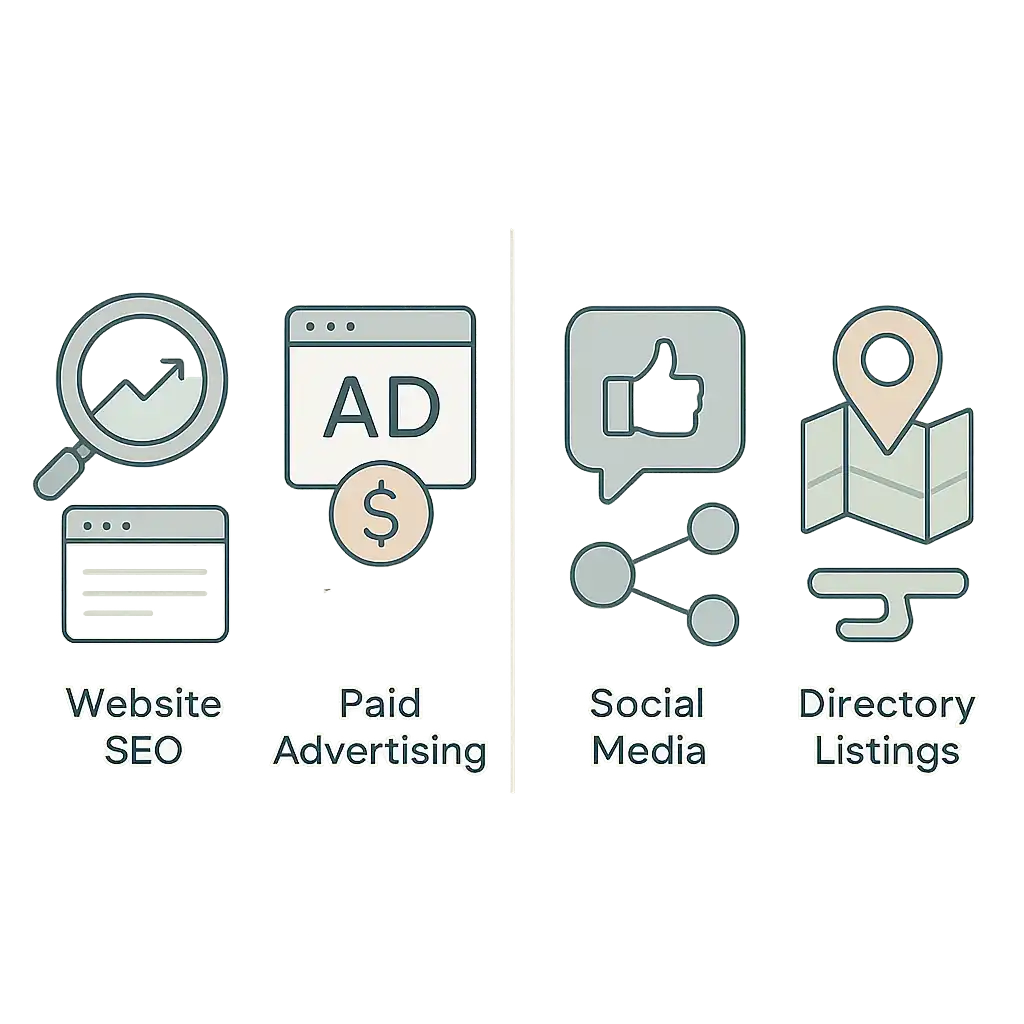
Understanding how SEO compares to other digital marketing channels is essential when planning how to do SEO on your website. Each approach offers unique strengths and limitations, and knowing the distinctions can help you allocate resources more effectively.
SEO vs. Paid Advertising
SEO is an organic strategy for increasing a website’s visibility in search engine results, while paid advertising involves purchasing placement through platforms like Google Ads. Both methods appear on search results pages but operate differently.
- SEO focuses on earning positions over time by optimizing content, technical site elements, and earning backlinks.
- Paid advertising reaches users through sponsored placements, allowing for immediate exposure but requiring an active budget to maintain visibility.
In practice, SEO efforts take longer to deliver traffic but can produce lasting value, with pages ranking and drawing clicks even after campaigns pause. On the other hand, paid ads stop driving traffic as soon as spend stops.
| Feature | SEO | Paid Advertising |
|---|---|---|
| Cost Structure | Ongoing effort, no per-click fees | Pay per click or impression |
| Timeline | Gradual, long-term growth | Immediate, short-term |
| Sustainability | Results can persist | Ends when spend ceases |
| Trust | Often seen as more credible | Marked as "Ad" |
Info: Balancing both strategies can provide short-term wins from paid campaigns and consistent long-term traffic from SEO, depending on your goals.
SEO vs. Social Media Marketing
SEO and social media marketing are different approaches to digital visibility. SEO is the process of improving your website so it shows up in organic search results, while social media marketing builds awareness on platforms like Facebook or LinkedIn.
- SEO targets users actively searching for information or services on search engines.
- Social media focuses on engaging audiences through posts, shares, and ads.
Based on common implementation patterns, SEO is about attracting users with search intent—those looking for answers or solutions. Social media is about fostering interaction, building a following, and pushing content to users’ feeds rather than waiting for them to search.
| Aspect | SEO (Organic Search) | Social Media Marketing |
|---|---|---|
| Discovery | Search-based, intent-driven | Feed-based, passive/contextual |
| Longevity | Rankings can last months/years | Content lifespan often short |
| Audience | Intent-driven visitors | Engaged followers and communities |
Tip: Relying only on social media for website traffic can be risky, as algorithms and reach can change quickly compared to relatively stable organic search visibility.
SEO vs. Directory Listings
SEO is an active process of optimizing your entire website for search engines, while directory listings involve submitting your site to specific online directories that group businesses or resources by category. The key difference is that SEO improves visibility across all major search engines, whereas directory listings target visibility within those directories alone.
Usually, directory listings provide quick wins for local or niche visibility, particularly for new websites seeking citation links and basic presence. However, listings rarely drive significant ongoing traffic unless the directory itself is very popular in your field.
| Comparison | Website SEO | Directory Listings |
|---|---|---|
| Control | Full over content and structure | Limited to listing fields |
| Reach | Search engines and broad web | Directory users only |
| Value Over Time | Grows as site authority builds | Often static after submission |
In practice, many website owners use directory listings initially to supplement broader SEO efforts, but invest most resources in comprehensive site optimization for real growth.
Info: Directory listings can complement your strategy, but focusing only on them won’t deliver the broader, ongoing visibility that SEO can offer.
Real-World Website SEO Examples
Seeing how SEO works on actual sites can clarify what matters most when figuring out how to do SEO on my website. Below are practical examples showing measurable results from technical fixes, on-page changes, and link-building efforts.
Improved Traffic After a Website Audit
A website audit is a systematic review of a site’s technical setup, content, and link structure to identify and prioritize SEO issues. Addressing audit findings often leads to marked improvements in organic traffic.
For example, sites that resolve crawl errors, redirect chains, slow page load times, or duplicate meta tags tend to see visibility gains within a few months. Common steps include:
- Fixing broken links and 404 errors
- Optimizing images by compressing or adding alt text
- Ensuring pages are mobile-friendly
In practice, running a technical audit—whether manually or using automated tools—usually uncovers a few surprises. It might reveal missed noindex tags or oversized images hurting user experience. Correcting these technical gaps often results in more pages being indexed and higher ranking potential, particularly for resource and blog sections. Ongoing audits help catch regressions early.
Tip: Scheduling regular audits with tools that track technical health can help you stay ahead of ranking losses caused by unnoticed issues.
On-Page SEO for a Local Business
On-page SEO for a local business is the targeted process of refining each page’s content and meta data to match local search intent. For local service providers, success hinges on optimizing contact details, page titles, and descriptions for local keywords.
Key on-page SEO steps include:
- Listing the business’s name, address, and phone number (NAP) consistently
- Creating individual service/location pages
- Adding schema markup for local businesses
Based on common implementation patterns, optimizing website copy to answer common customer questions, adding directions on the contact page, and featuring customer testimonials can improve engagement and relevance for geo-targeted searches. Even small businesses notice increased map pack visibility and more phone calls after these changes. Consistency across listings and pages remains important for trust signals.
Expert Insight: A plumbing company optimized for “emergency repair in [city]” and saw a noticeable uptick in inquiries attributed to higher local map rankings post-optimization.
Successful Backlink Campaigns
A backlink campaign is a focused effort to increase the number and quality of websites linking to your site, positively affecting ranking authority. High-quality backlinks are often secured through outreach, content collaborations, and digital PR.
Effective backlink campaigns typically involve:
- Identifying relevant partners (local blogs, industry directories)
- Creating share-worthy resources (guides, infographics, research posts)
- Personalized outreach to pitch collaboration or resource links
In hands-on experience, links gained from genuine industry relationships or helpful content often outperform links from generic directories. Campaigns that target a mix of sources—such as guest blog posts, supplier listings, or helpful how-to articles—can diversify backlink profiles and reduce risk. Monitoring new links and reviewing anchor text patterns ensures long-term results without tripping search filters.
Tip: Always vet potential linking sites for relevance and quality before requesting or exchanging links to avoid spam risks.
Frequently Asked Questions
How long does it take to see SEO results?
SEO results typically take about 3 to 6 months to become noticeable. This timeline depends on factors like website age, competition, and the consistency of your SEO efforts. Patience and ongoing optimization across content, keywords, backlinks, and technical health are key to improving rankings over time.
What are the most important SEO ranking factors?
The key SEO ranking factors include:
- High-quality, relevant content with targeted keywords
- Strong backlink profile from authoritative sites
- Good user experience and fast page load times
- Mobile-friendly design
- Proper use of title tags, meta descriptions, and structured data
- Technical SEO health such as fixing broken links and crawl errors. These elements help search engines understand and rank your website effectively.
Can I do SEO myself or do I need an agency?
You can absolutely do SEO yourself, especially with beginner-friendly tools like SEO Ladders that guide you through keyword research, content creation, and technical audits. However, agencies offer expertise and time savings for complex strategies. If you're starting out or on a budget, DIY SEO combined with the right platform can effectively boost your website's rankings.
How often should I update my website for SEO?
You should update your website regularly, ideally adding or refreshing content at least once a month. Frequent updates signal to search engines that your site is active and relevant, improving rankings. Additionally, fixing technical issues and optimizing keywords as trends change helps maintain strong SEO performance.
What tools help beginners with website SEO?
Beginners can use tools like SEO Ladders, Google Search Console, Ahrefs, SEMrush, and Moz for easy keyword research, site audits, backlink tracking, and content optimization. SEO Ladders is tailored for solo founders with guided workflows, making SEO learning straightforward and automating key tasks to boost organic traffic.
What are some free website ranking checker SEO rank checker tools?
You can use free SEO rank checker tools like Google Search Console, Ubersuggest, and SEO Ladders to track your website's keyword rankings and domain performance. These tools help monitor how your site ranks on search engines for specific keywords without cost, providing insights to improve your SEO strategy.
How can I check the most visited websites globally and by country? What analytics and traffic ranking tools like Alexa or SimilarWeb should I use?
To check the most visited websites globally or by country, use tools like SimilarWeb, Alexa Internet (now part of Amazon, with limited access), and SEMrush. They provide traffic rankings and analytics. Google Trends and StatCounter can also offer site popularity insights by region. Each tool has different data coverage, so consider trying a few for comprehensive info.
What sites or methods can I use to check website traffic rankings and get data for the most visited websites worldwide?
To check website traffic rankings and view the most visited sites worldwide, use tools like Alexa, SimilarWeb, and SEMrush. These platforms show global or country-specific rankings and traffic stats. For specific websites, use their detailed analytics to analyze traffic sources, visitor numbers, and trends. This helps you benchmark your site’s SEO performance effectively.
Conclusion
Mastering SEO on your website boils down to understanding its fundamentals, implementing key steps, and sticking with the process. Ready to take action? Start by:
- Defining your website’s goals and target audience.
- Learning the core SEO concepts covered in this guide.
- Applying each step, from technical audits to content creation and strategic keyword targeting.
- Measuring your progress, then refining your approach based on data and real-world results.
Want to make SEO less overwhelming? Try SEO Ladders’ keyword research tools to discover actionable keywords and watch your website start climbing the rankings faster.
Take the first step towards transforming your website's performance with actionable SEO insights. Enhance your website's SEO strategy today!
Start for Free